How do I link one note to another?
Type [[ or @ anywhere in a line. Your notes appear right at the cursor, you keep typing to narrow them down, and pressing Enter drops the link in.
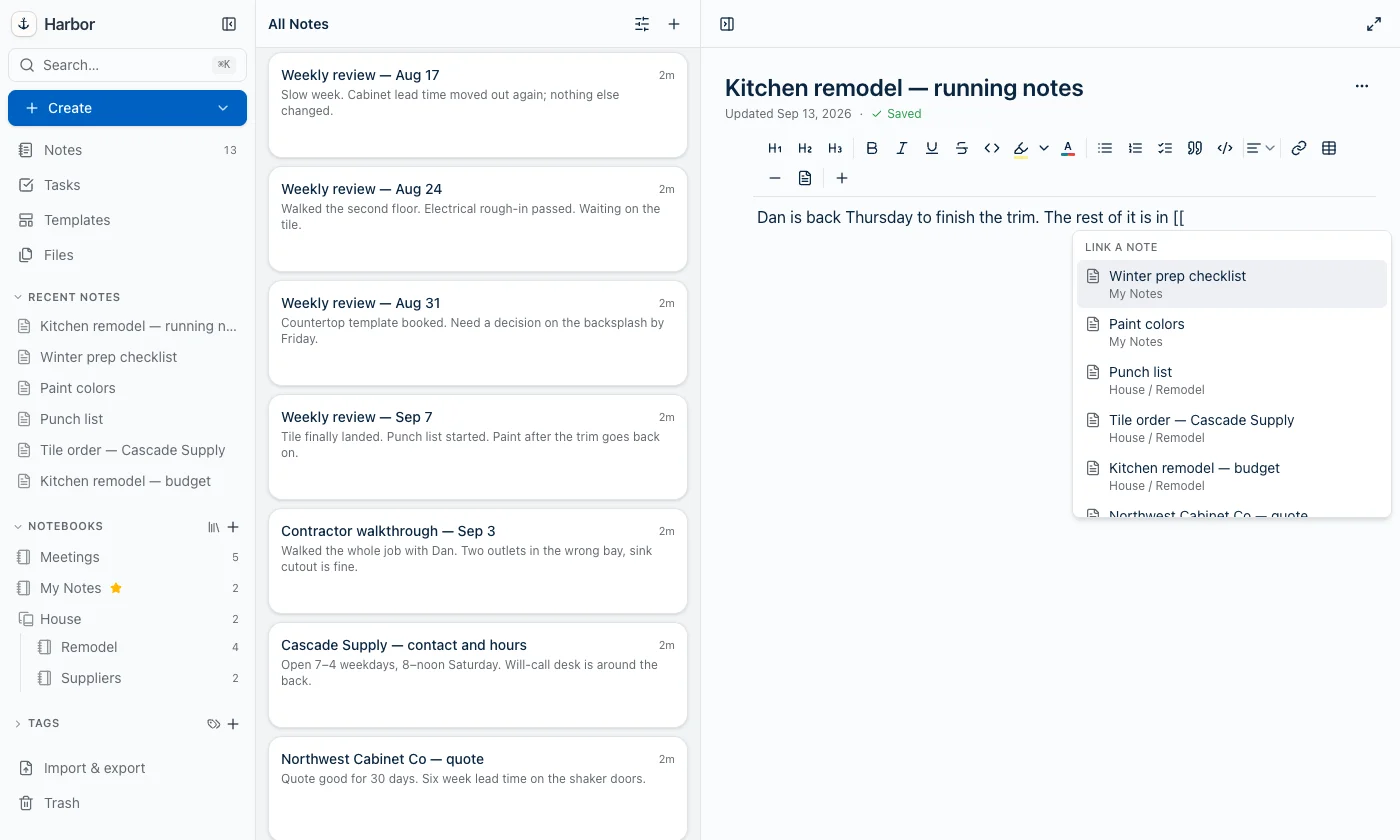
Both triggers do exactly the same thing — same list, same keys, same result. Use whichever one you’re used to.
It works anywhere in a line: mid-sentence, halfway through a list item, inside a table cell.
Narrowing the list
Whatever you type after the trigger is a live search, and spaces are allowed — [[weekly review keeps filtering rather than stopping at the space.
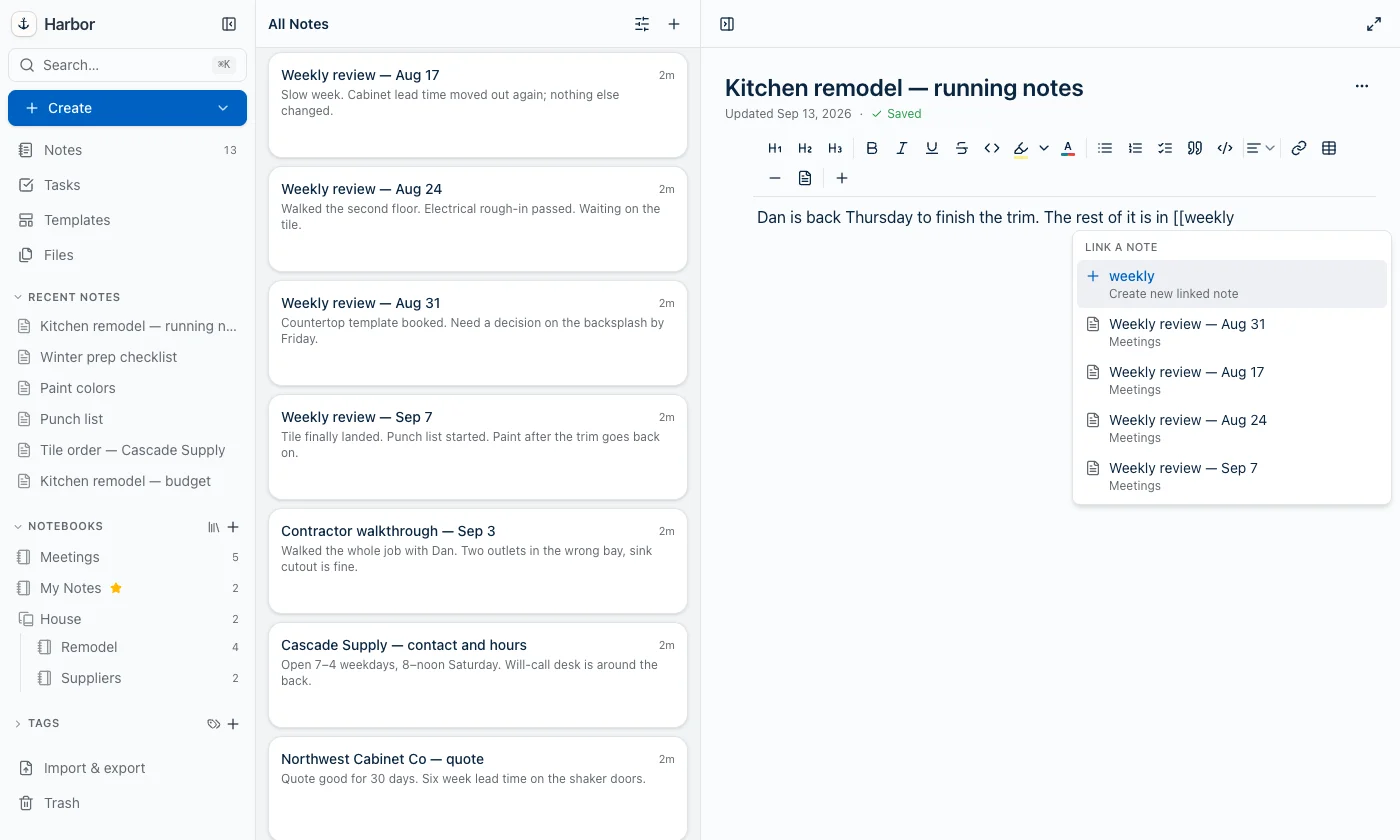
With nothing typed you get your recent notes. Each row shows the note’s title, with its stack and notebook underneath so you can tell two similarly named notes apart.
Two notes never appear in the list: the one you’re writing in (you can’t link a note to itself) and anything in the trash.
Picking one
- ↑ and ↓ move through the list, and they wrap around at the ends.
- Enter or Tab accepts the highlighted row.
- Clicking a row accepts it.
Accepting replaces everything you typed — the [[ or @, the search text, all of it — with the link.
Creating a note that doesn’t exist yet
Type a title Harbor doesn’t have and the first row offers to create new linked note. Choose it and Harbor creates the note, links to it, and leaves your cursor where it was.
The new note lands in the same notebook as the note you’re writing in. If that notebook is set to encrypt new notes, the new note is encrypted, the same as anything else created there — and if you dismiss the unlock prompt, Harbor creates nothing and inserts no link.
The create row only appears once you’ve typed something. With an empty search there’s no title to create.
What the link stores
A link holds the note itself, not a copy of its title. The title you see is looked up at the moment you read the note.
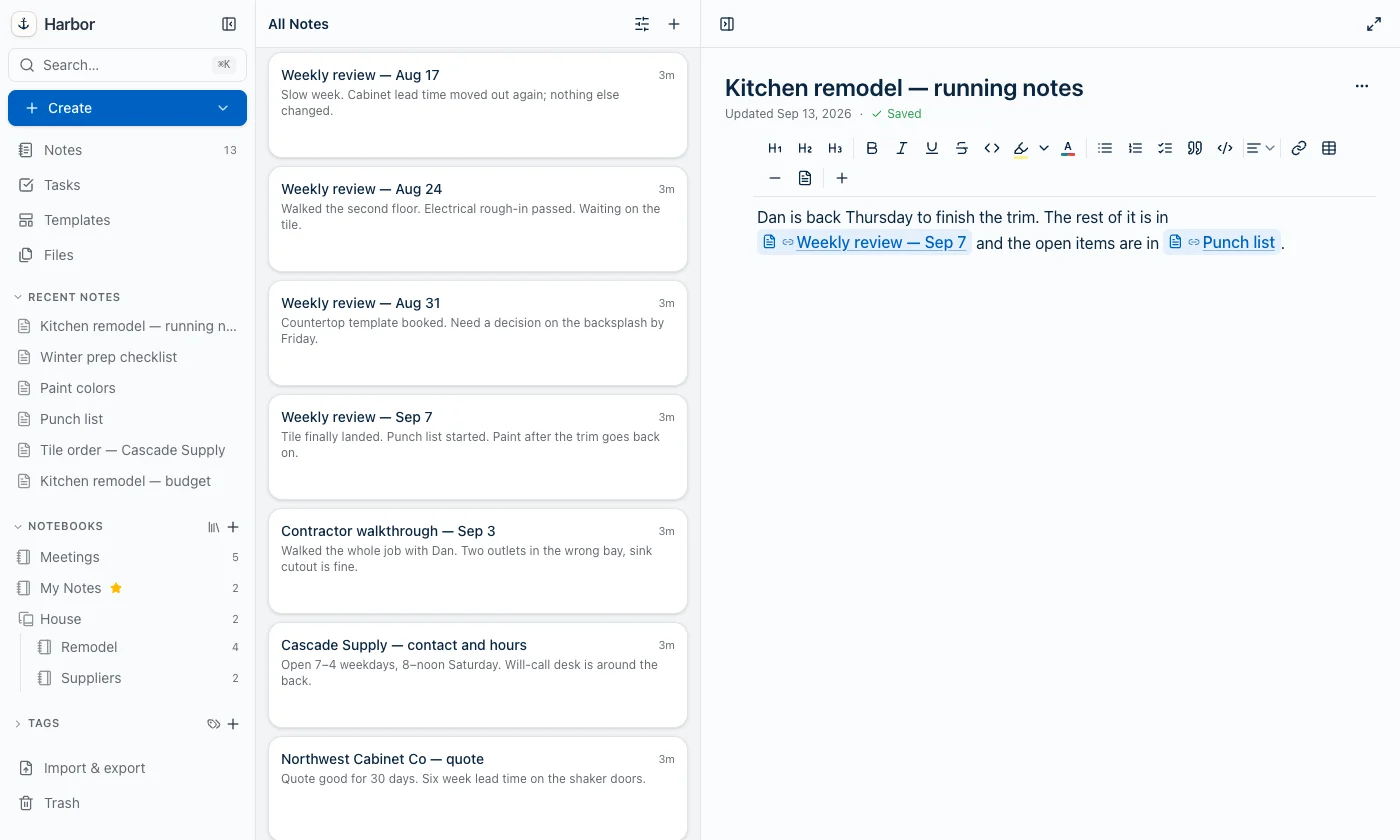
So:
- Rename the linked note and every link to it shows the new name.
- Move it to another notebook and the links keep working.
- Delete it and the link has nothing to point at — that’s the one thing that breaks it.
It’s the same machinery behind an index note, which is why one of those doesn’t go stale when you rename things.
Closing the list
Press Esc. The [[ or @ you typed stays exactly as you typed it — nothing is inserted and no characters are swallowed — and the list stays closed while you carry on typing that sentence.
It also closes if you move the cursor out of what you typed, or delete back past the trigger. A fresh [[ later in the same line opens it again as normal.
When it won’t open
By design, in these cases:
- After a letter, digit or punctuation, for
@only.@is an ordinary character in real text, so it only triggers when the character before it is a space or it starts the line. That’s what keepsname@company.comfrom opening a note picker.[[has no such restriction. - Inside a code block or inline code, where the brackets are usually literal.
- Once you type a
].[[Note]]reads as finished text rather than a search you’re still typing. - After about 50 characters. No note title is still being searched that far in, so the list bows out rather than following you down the paragraph.
Encrypted notes
Encrypted notes appear in the list only while your vault is unlocked. With it locked they’re absent entirely — no titles, no ciphertext, no placeholder row — because Harbor can’t read them either.
The slash menu still works
The older route is still there: on an empty line, type / and choose Link to note. Same link, same behavior. [[ and @ exist because that one only opens at the start of an empty line, which is rarely where you are when you want to point at another note.
Pasting a copied link
There’s one more way to make the same link. Open the other note’s ⋯ menu, choose Copy note link, and paste it into your note. You get the note’s live title and the backlink, the same as if you’d typed [[.
It works for a link pasted from Slack or an email, too. Copy note link is in the web app now and comes to the other apps in an update. Here’s more on copying a note’s link, including the few pastes that stay as they are.
Where it works
Every Harbor app: web, iPhone, iPad, Mac, Windows and Android — Harbor 1.0.41 on the web, 1.0.37 on the App Store, 1.0.38 for the direct Mac download, 0.2.15 on Windows, and 1.0.15 on Google Play.
If your desktop app doesn’t have it yet, check for updates.
Once the link is in your note, it also survives being published: see can I publish a set of linked notes? for what readers of a public note see when they click one.
Related questions
Need more help?
Still stuck? Send us a message and a real person will get back to you.