Notes & Notebooks
Notes that feel effortless.
A fast, modern editor and a simple notebooks-and-tags system you already understand — no Markdown to learn, no clever-tag gymnastics.
Free plan to start · No credit card
Write
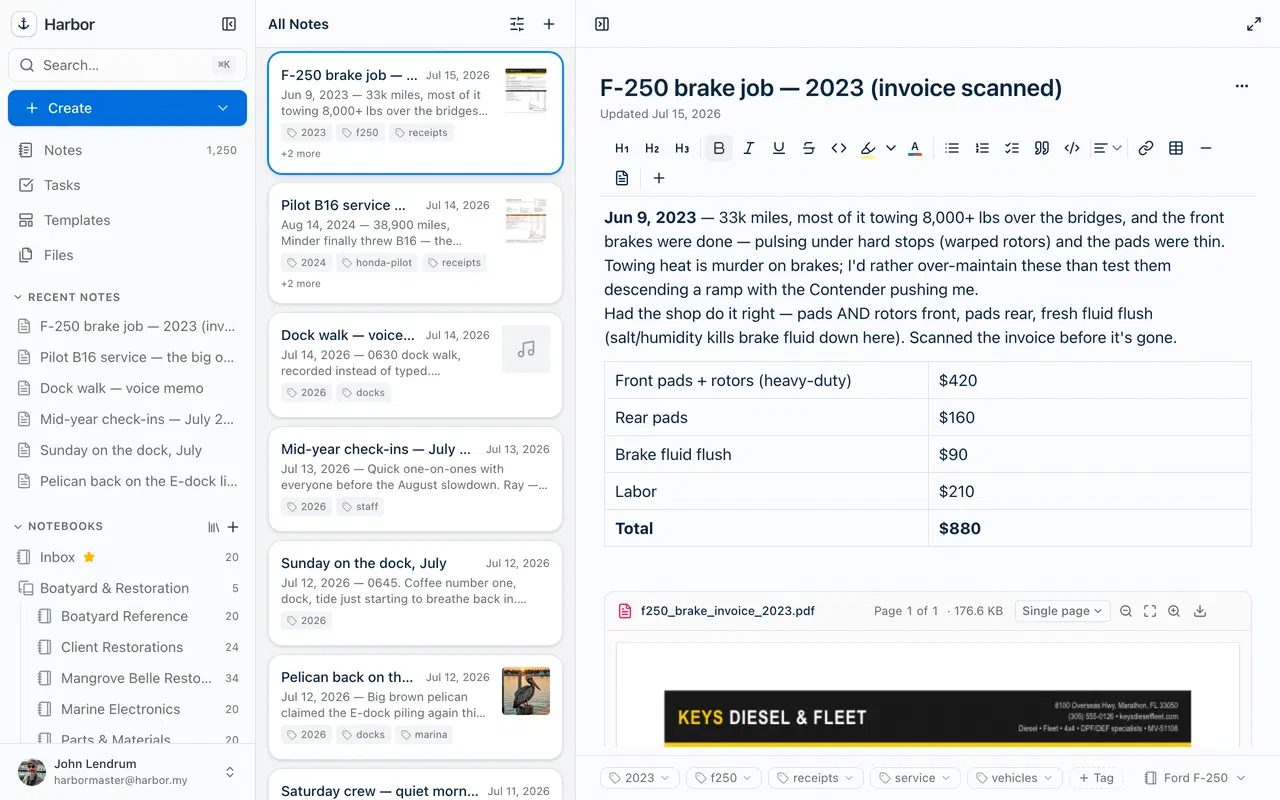
A modern editor, minus the fuss.
Headings, checklists, collapsible outlines, colored tables, highlighters, slash commands, drag-and-drop attachments — and autosave on every keystroke. Fold any bullet or heading and the section under it collapses, so a long note stays readable. Paste a Markdown answer from ChatGPT and Harbor offers to turn it into a properly formatted note — on web, Mac, iPhone, and iPad today. Write the way you think; Harbor keeps up.
Organize
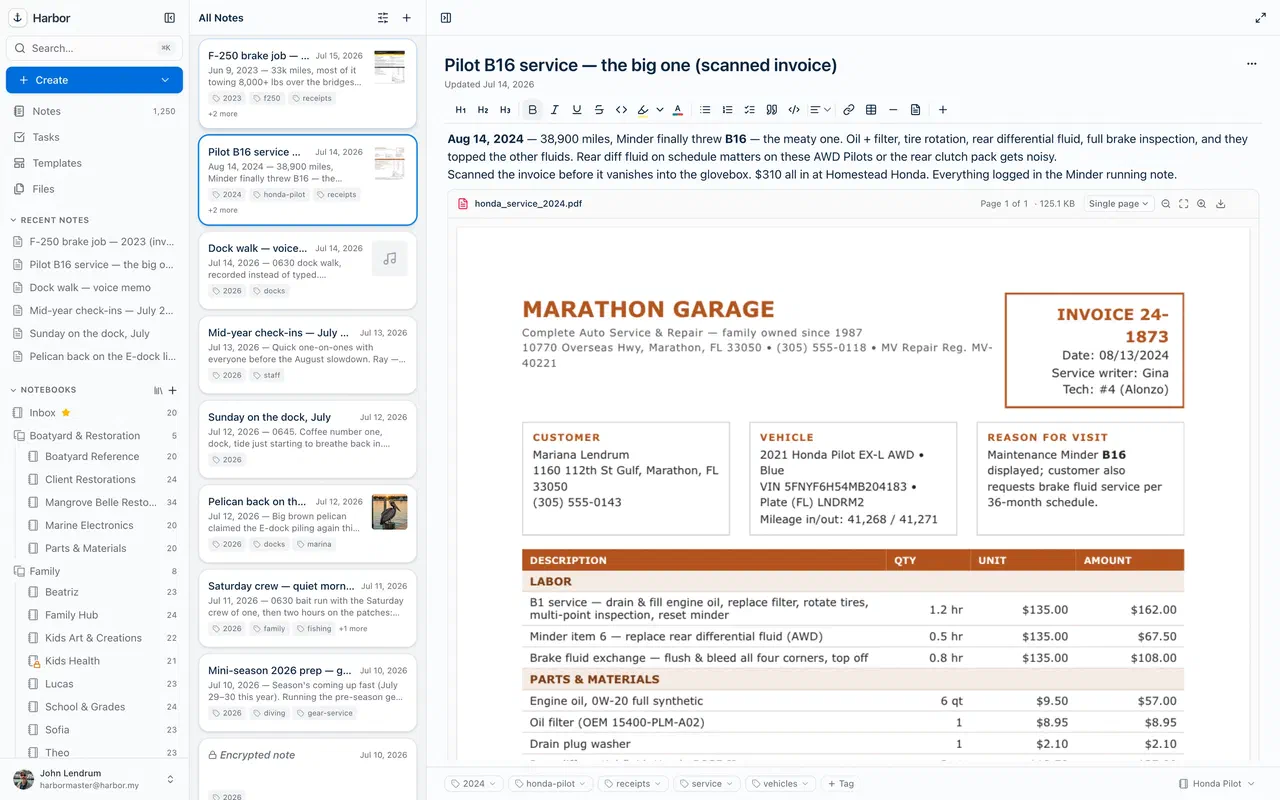
Notebooks and notes. That's it.
Notebooks, stacks, and simple tags — organize your way, or don't. Search finds it anyway, so you never pay a tax for filing something imperfectly. Drop a table of contents into a note, pick some tags, and it lists every note with them, updating itself as you tag new ones. Or select any set of notes and Harbor builds you an index note linking to all of them. And when you want less on screen, a workspace groups a few notebooks under a name like Work and hides the rest until you switch back.
Never lose an edit
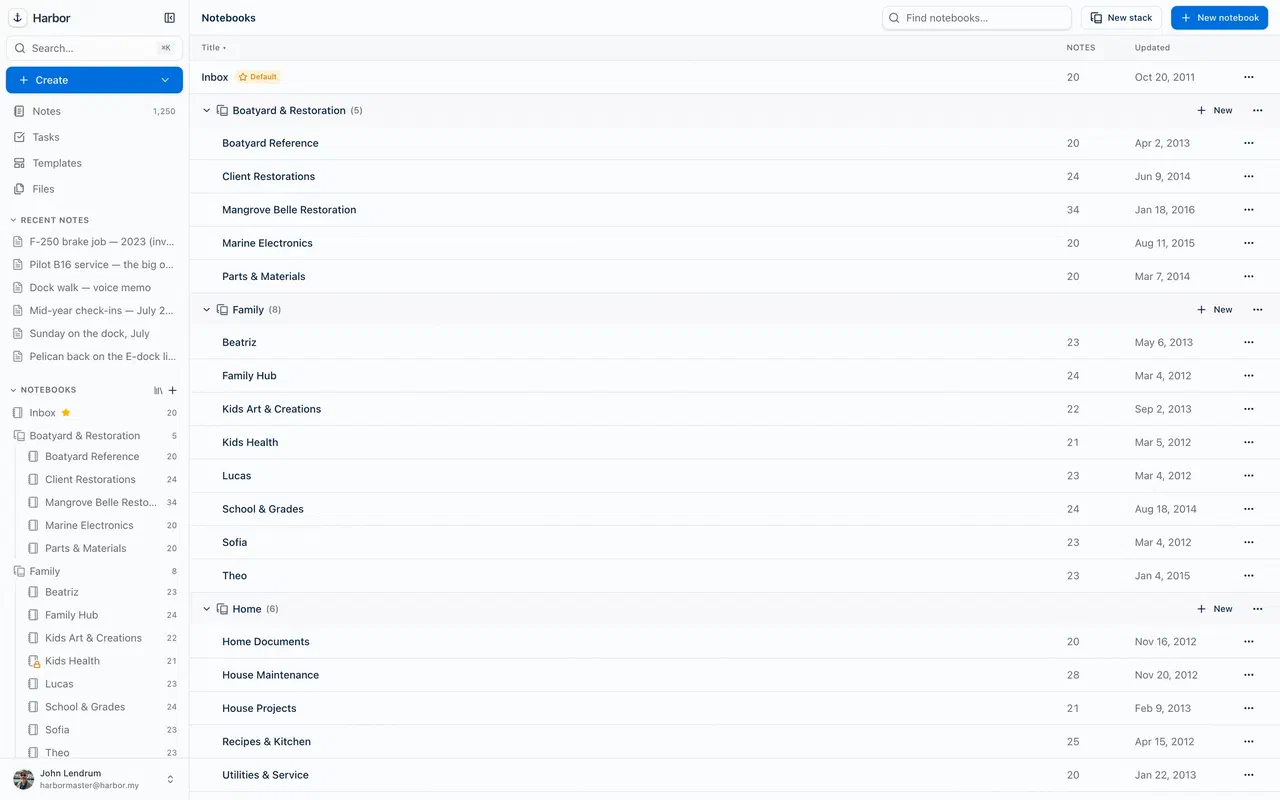
Every version, saved.
Full version history with one-click restore, plus a per-note activity timeline. If sync ever disagrees, you get a conflict copy — never a silent overwrite.
Do
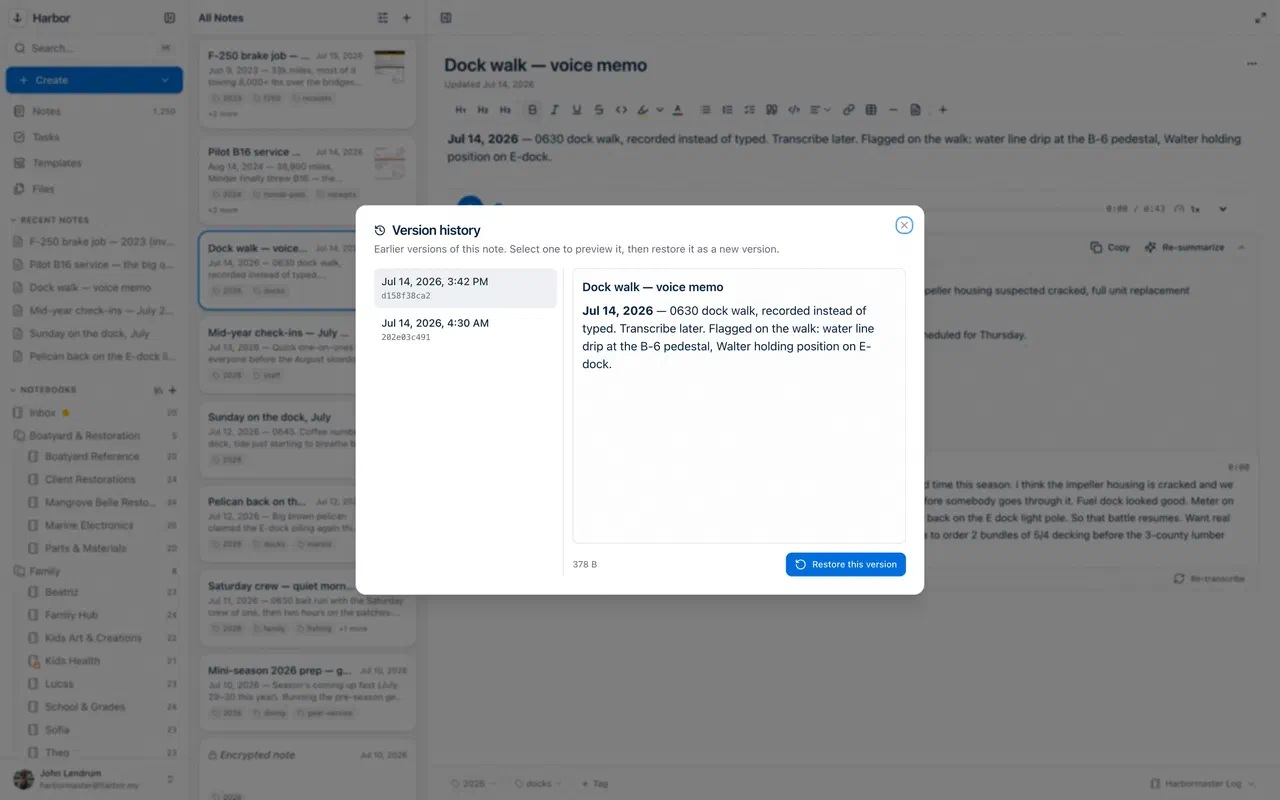
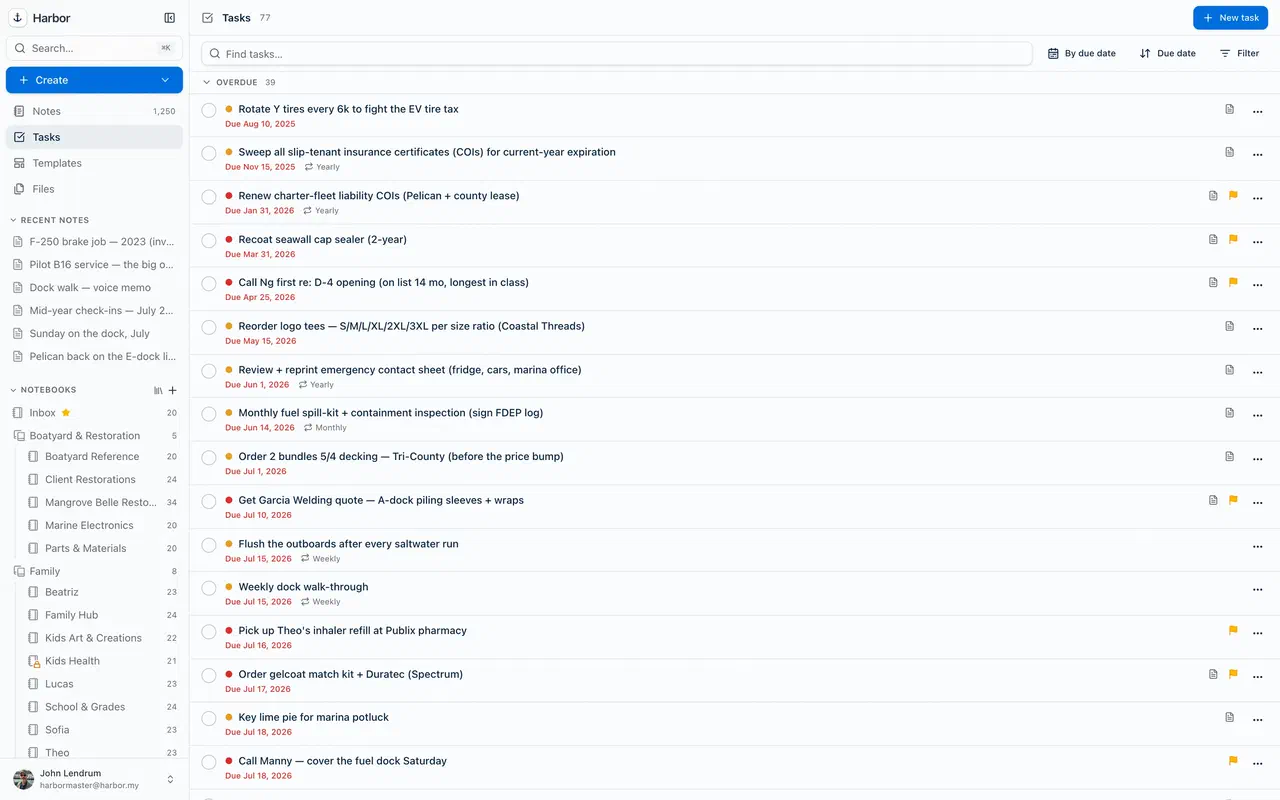
Turn notes into to-dos.
Real tasks with due dates, reminders, recurrence, and priority — right next to the notes they belong to, with a dedicated Tasks view to work from.
And the small things that add up
Templates
Build a note structure once, reuse it forever — meeting notes, trip plans, journals.
Reminders
Put a date on any note and Harbor nudges you when it matters.
Find-in-note
Jump straight to a word inside a long note.
Trash with restore
Deleted isn't gone until you say so.
Public links
Publish any note read-only with one click — no account needed to view. Publish a linked set and readers can click straight through it.
Dark mode
Easy on the eyes, on every platform.
Keep exploring
Anchored. Private. Yours.
Start writing in a calmer place.
Free to start, no credit card — and everything you write is yours to export, always.
Free plan to start · No credit card