Blog ·August 17, 2026 ·Cloudmanic Labs
We timed a 1,158-note migration into Harbor
“How long will it take?” is the question everyone asks before moving years of notes into a new app, and almost nobody publishes an answer. So we ran two migrations, timed them with a stopwatch, and wrote down everything — including the parts that did not work.
The short version
- 1,158 notes, 49 notebooks, 126 attachments: 103 seconds, start to finish.
- A real 48 MB Evernote export — 37 notes, 79 attachments — took 177 seconds. Fewer notes, longer wait: attachments, not note count, are what make a migration slow.
- Every note and every attachment arrived, in both tests. 126 of 126, and 79 of 79.
- Notebook stacks and tag hierarchies did not arrive, and no importer can make them. There is no field for either in the ENEX format.
- The only manual work afterwards was dragging notebooks back into stacks. A couple of minutes.
What we actually moved, and what that proves
Being precise about this matters, because it changes what you should take from the numbers.
Test one — a real Evernote export. A genuine .enex file written by Evernote 11.21.5: 37 notes, 79 attachments, 48 MB of scanned contracts, photos and PDFs. Small in note count, heavy in files. This is the one that tells you how Harbor handles Evernote’s actual output — Evernote’s ENML quirks, its resource encoding, its date formats.
Test two — a large library. 1,158 notes across 53 notebooks with 126 attachments, 75 MB. This is where the headline timing comes from. Full disclosure on where the file came from: we exported it out of a Harbor account, so the .enex was written by Harbor’s exporter rather than by Evernote. We do not have a real Evernote account with 1,158 notes in it to export.
So test two is an honest measurement of throughput at scale — how fast the importer chews through a thousand-plus notes and their files — and it is not evidence about Evernote’s particular flavour of ENEX. Test one is. We are reporting both rather than quietly averaging them into one impressive number.
One finding is unaffected by any of this, because it is a property of the file format rather than of who wrote the file: stacks and tag hierarchies cannot survive an ENEX export. More on that below.
Test two: 1,158 notes in 103 seconds
We created an empty Harbor account and pushed 49 .enex files at it, one per notebook. The clock ran from the first byte uploaded to the moment the last note was readable in the app.
| Notes | 1,158 |
| Notebooks | 49 |
| Attachments | 126 |
| Total size | 75 MB |
| Uploading | 97 seconds |
| Total, end to end | 103 seconds |
The interesting part is the six-second gap. Harbor starts importing the first file while you are still uploading the rest, so the work overlaps almost completely — the whole library finished six seconds after the last file finished uploading. You do not wait for upload, then wait for import.
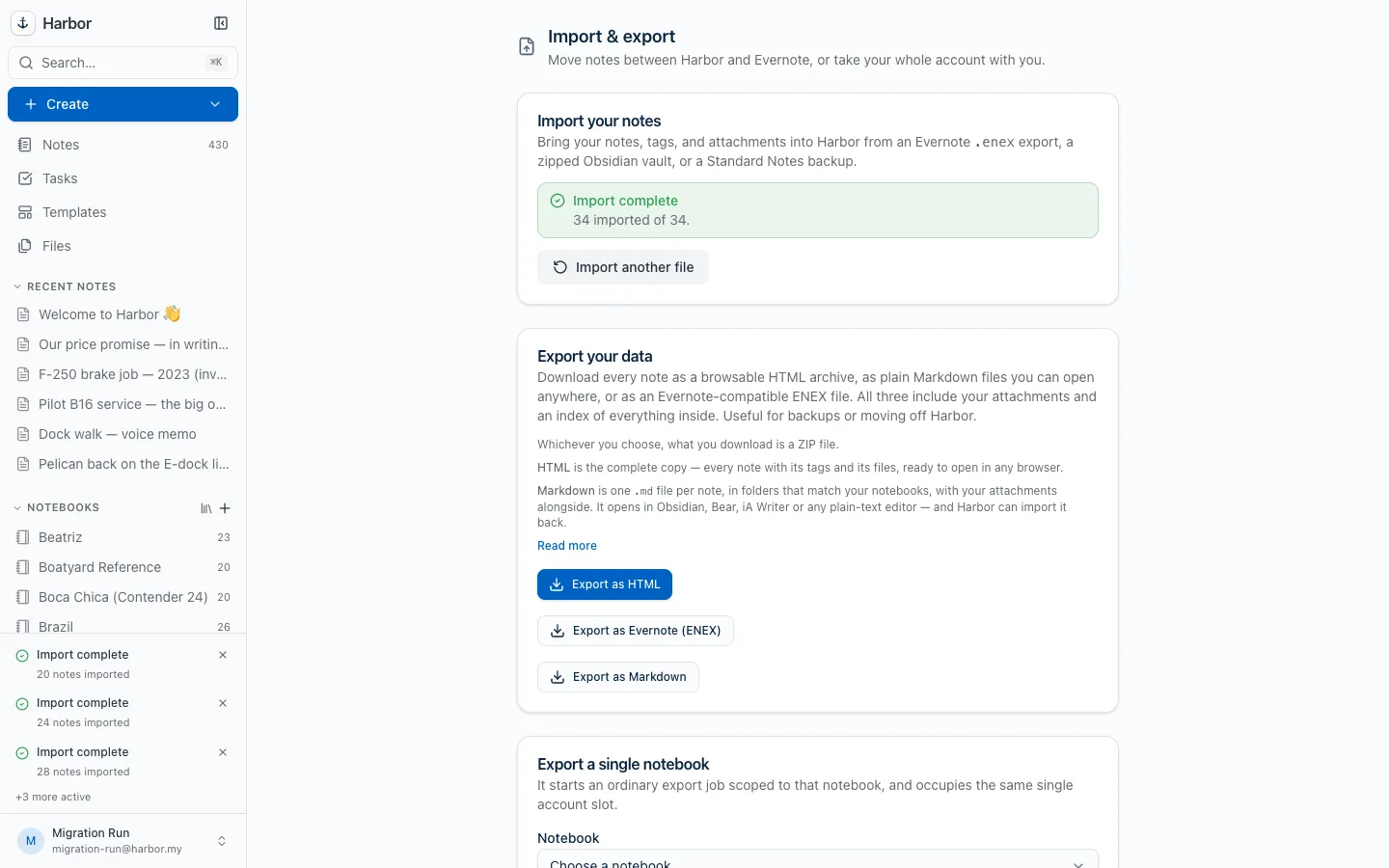
That screenshot is the migration in flight. The counter in the sidebar had reached 430 notes; three notebooks had landed, three more were still going. Nothing about it needed watching — we only sat there because we were timing it.
Four of the 53 notebooks were genuinely empty, so 49 files carried all 1,158 notes.
Test one: why 37 notes took longer than 1,158
Now the result that is more useful than the headline.
The real Evernote export — 37 notes, 79 attachments, 48 MB — uploaded in 13 seconds and finished in 177 seconds end to end. Thirty-seven notes took nearly three times as long as eleven hundred.
| Evernote export | Large library | |
|---|---|---|
| Notes | 37 | 1,158 |
| Attachments | 79 | 126 |
| Attachments per note | 2.1 | 0.1 |
| Size | 48 MB | 75 MB |
| End to end | 177 seconds | 103 seconds |
The reason is not note count. Every attachment has to be stored and then queued for OCR, so the words inside your scans and PDFs become searchable. A note that is three paragraphs of text is nearly free. A note with a 4 MB scanned contract stapled to it is not. Per note, the attachment-heavy export took about 4.8 seconds; the text-heavy library took about a tenth of a second.
So the honest predictor of how long your migration takes is the size of your attachments, not the number of your notes. If you have ten years of text notes, it will be quick. If you have ten years of scanned receipts, budget real time — and know that the wait is buying you something, because at the end of it every one of those scans is full-text searchable.
You do not have to sit and watch either way. Imports run on our servers, so you can close the tab and come back.
What came across
Both tests, same results:
- Every note — text, formatting, checklists, tables. 1,158 of 1,158, and 37 of 37.
- Every attachment — 126 of 126, and 79 of 79. PDFs, images, scans, audio.
- Tags — 100 of them, attached to the right notes.
- Original created and updated dates, so the library keeps its real timeline rather than showing 1,158 notes all created today.
- Notebooks, one per file, named after the file.
- Web clips, with the URLs they were clipped from.
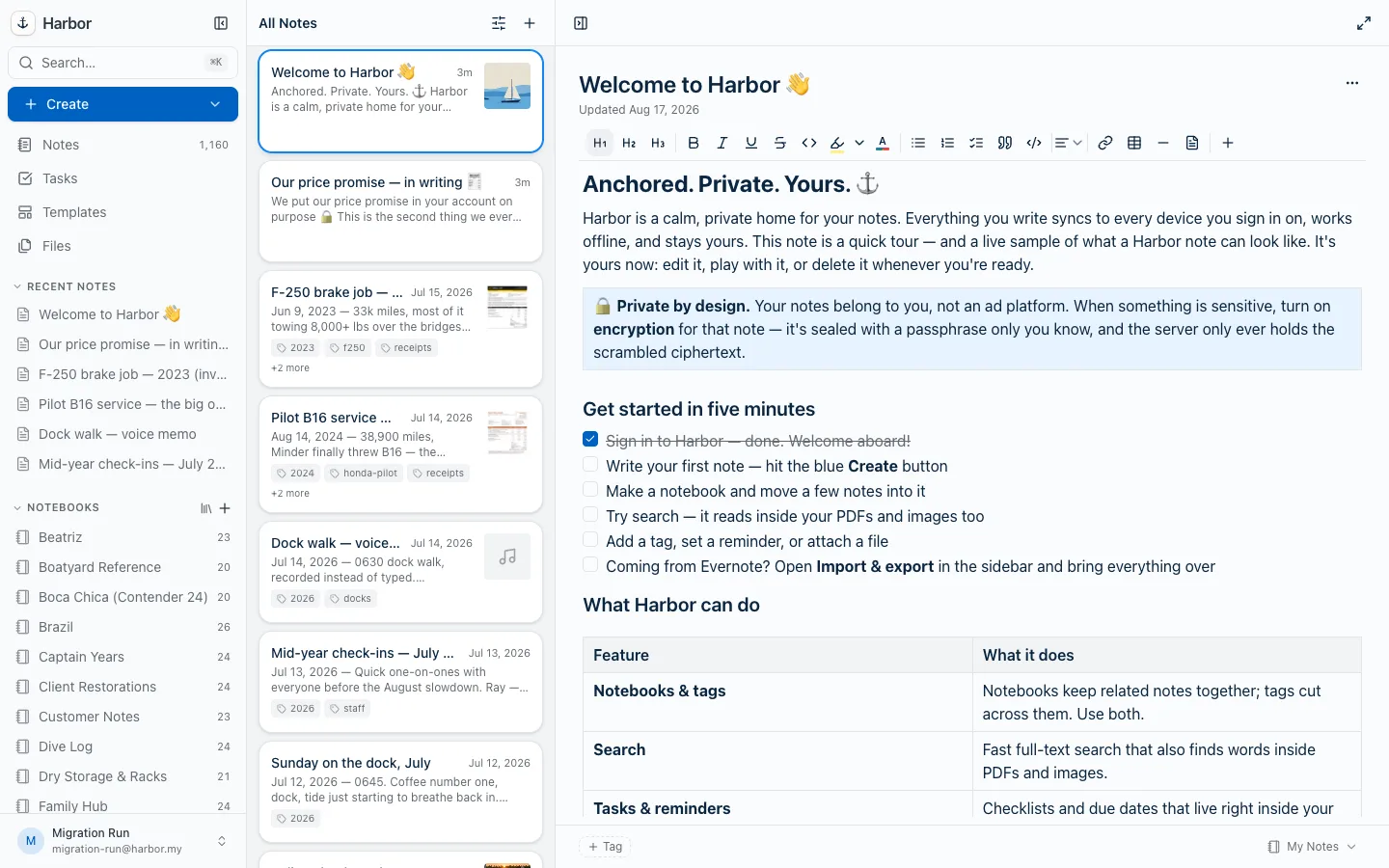
The screenshot at the top of this post is the finished library — the full notebook list rebuilt, with attachment thumbnails sitting on the receipt and voice-memo notes.
What did not come across
Two things, and they are worth understanding before you start, because no notes app can fix them.
Notebook stacks. Zero of our 50 notebooks arrived inside a stack. Every one landed ungrouped.
Tag hierarchies. Zero of our 100 tags arrived with a parent. Every nested tag flattened.
This is not Harbor dropping them. There is no field for a stack, and no field for tag nesting, anywhere in the ENEX format. Evernote’s export simply does not record either one, so the information is gone before any importer ever sees the file. Any app that tells you stacks survive an ENEX import has not checked.
Also absent, for the same reason:
- Note-to-note links. Evernote writes these as
evernote:///URLs that only resolve inside Evernote. They survive as text but lead nowhere. - Note history. Evernote does not put past versions in an export at all.
- Saved searches and reminders. Neither travels in the file.
The practical impact is smaller than the list makes it sound. Re-stacking 50 notebooks is drag-and-drop and took us about two minutes. Re-nesting tags is the same. It is the one piece of manual work in the whole migration, and it is worth knowing about in advance rather than discovering it on the other side.
We were previously less precise about this on our own site — several pages said stacks came across. They do not, we have corrected them, and this test is how we confirmed it.
What this means for your migration
- Export notebook by notebook. An ENEX file carries no notebook name inside it — the name lives in the filename, which is why one file per notebook rebuilds your library and one giant export lands as a single pile. The complete export guide covers this and Evernote’s 100-note selection limit.
- Budget by attachment size, not note count.
- Test with one notebook first. Import a small messy one, search for a word you know is inside a PDF, and see the result before you commit the library.
- Plan two minutes for re-stacking, and keep your
.enexfiles afterwards as a backup.
How to reproduce this
Nothing here is hard to check. Export a notebook from Evernote’s desktop app as .enex, import it into Harbor, and time it. The free plan is enough to run the test on a notebook or two, and imports are non-destructive — your export files are untouched and your Evernote account is not modified at all, so you can re-run it as many times as you like.
If your numbers come out meaningfully different from ours, we would genuinely like to know: help@harbor.my.
The limitations of this test, stated plainly
- The large library’s
.enexcame from Harbor’s own exporter, not Evernote’s. The throughput number is real; it is not a claim about Evernote’s file format specifically. - Both tests ran against one account on one server on one day. Your network and the size of your files will move the numbers.
- The Evernote export we used is 37 notes. We would like to run this again against a genuinely large real Evernote library — if you are leaving Evernote with thousands of notes and would be willing to let us time it, get in touch.
Tested August 17, 2026, on Harbor’s current build. Figures measured, not estimated.