Blog ·September 13, 2026 ·Spicer Matthews
Type [[ to link a note

You’re mid-sentence. You want to point at another note — last week’s review, the budget, the punch list.
Until now Harbor made you stop to do it. Go back to the start of an empty line, open the slash menu, find Link to note, pick your note, then find your way back to the thought you were having. Fine once. Miserable four times in a paragraph.
Now you type two square brackets and keep going.
Two brackets, anywhere in a line
Type [[ and your notes appear right at the cursor.
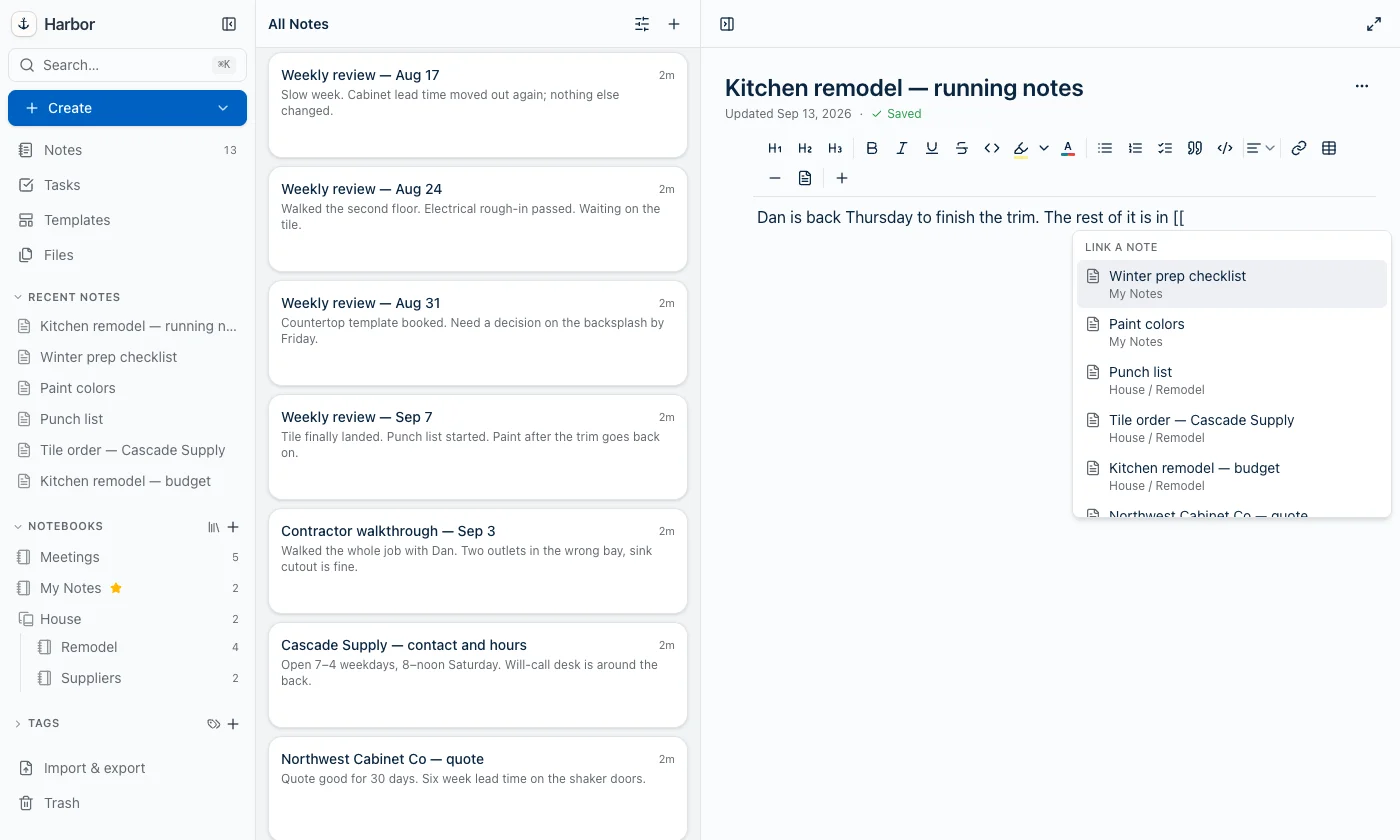
Anywhere in the line. Mid-sentence, halfway through a list item, inside a table cell. That’s the whole point of it — the old slash menu only opens at the start of an empty line, which is exactly where you aren’t when you need this.
Every row is the note’s title with its stack and notebook underneath. Three notes called “Punch list” stop being a coin toss.
Keep typing to narrow it
The letters after the brackets are a live search. Spaces work, so [[weekly review keeps filtering instead of giving up at the space.
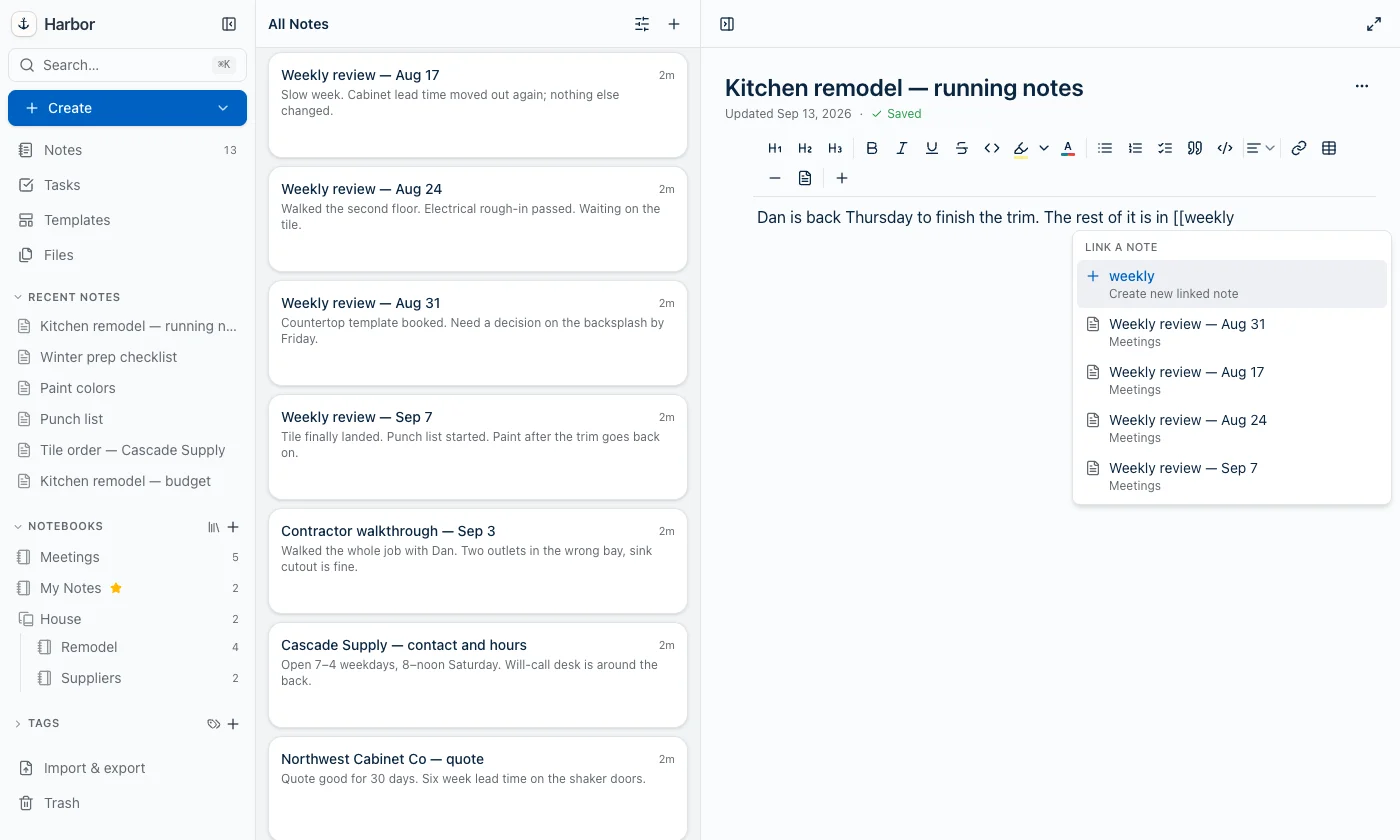
Arrow keys move, Enter or Tab accepts, and clicking works. Whatever you accept swallows the whole thing you typed — brackets, query and all — and leaves a link in its place.
The note you haven’t written yet
Look at the top row in that screenshot. Type a title that doesn’t exist and the first thing Harbor offers is to create it.
Pick it and you get a new note in the notebook you’re already writing in, linked from where your cursor was, without leaving the note you’re in. It’s the fastest way we know to write down a thing you’ll deal with later without losing the sentence you’re in the middle of.
If that notebook encrypts new notes by default, the new note is encrypted like anything else you’d make there. And if you change your mind at the unlock prompt, Harbor inserts nothing — a link pointing at a note that was never written is worse than no link.
@ does exactly the same thing
Evernote fires this menu off both [[ and @, so Harbor does too. Same list, same keys, same result.
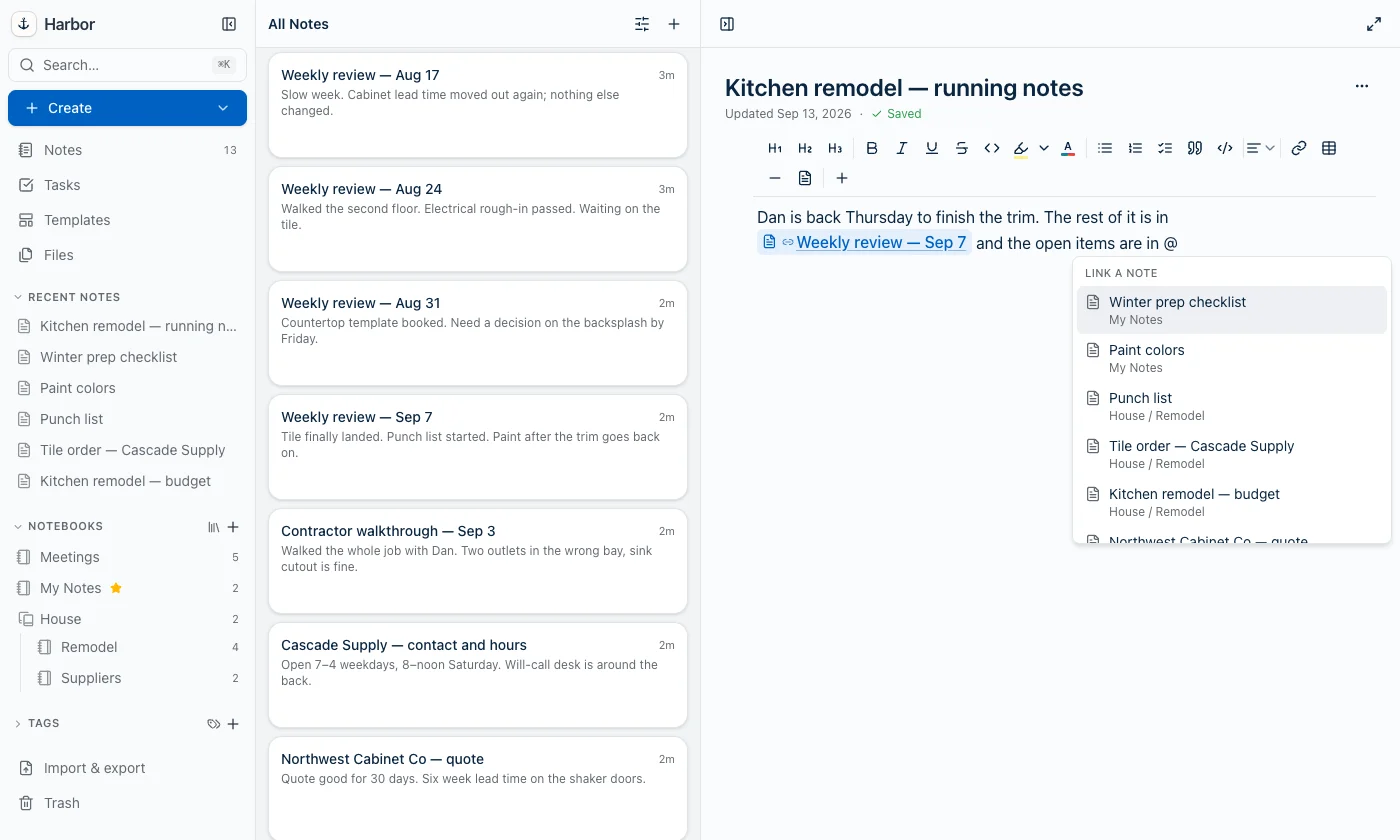
Use whichever one your fingers already know.
@ needed a guard that [[ didn’t, though. It’s an ordinary character in the middle of real text — me@spicer.cc, a handle you pasted from somewhere — so @ only triggers when there’s a space in front of it or it starts the line. An @ typed straight after a letter is just an @. We tested that address one keystroke at a time, because it’s the kind of thing that’s obvious the first time it goes wrong in front of you.
A link holds the note, not its name
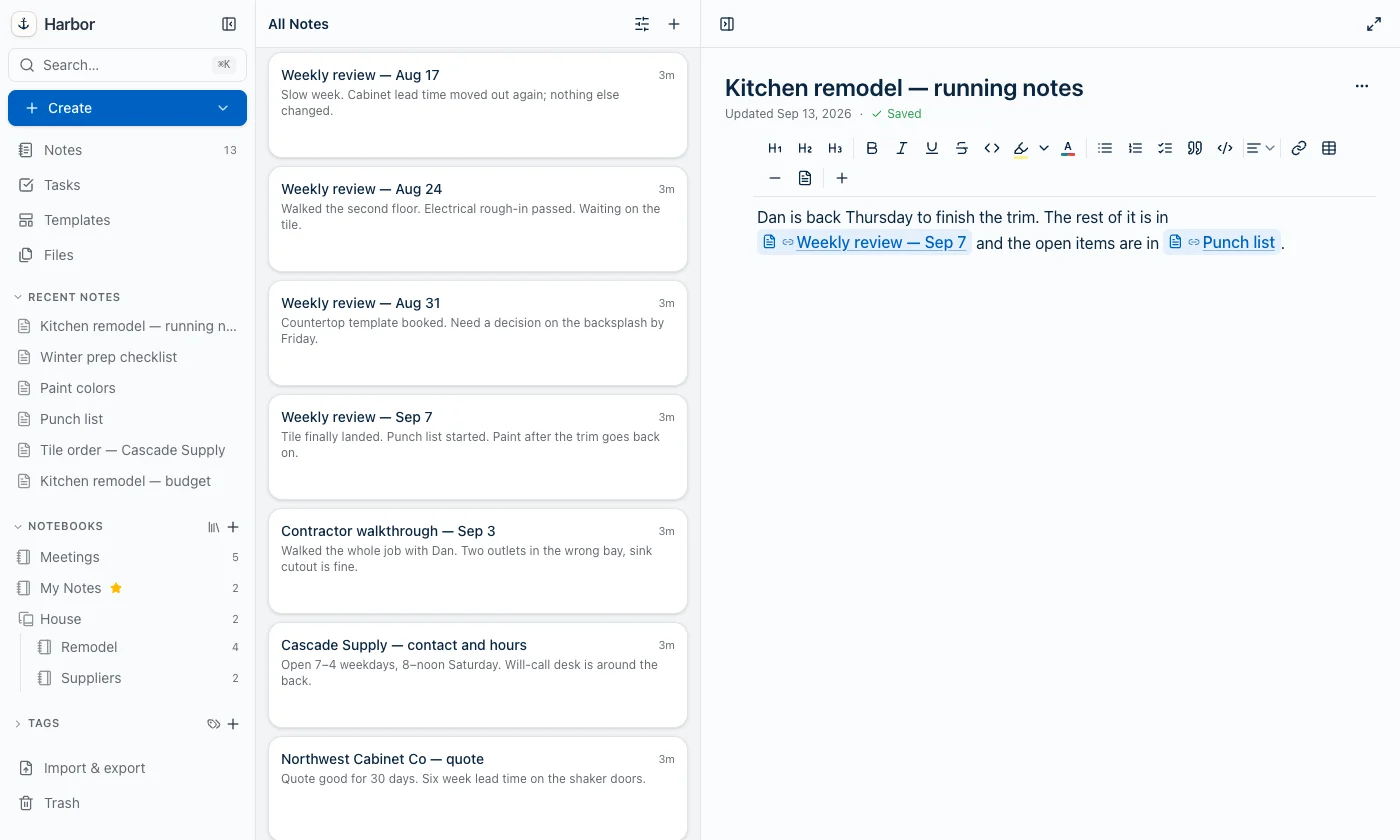
What goes into your note is the note itself, not a copy of its title. The title you see is looked up when you read it.
So rename “Punch list” to “Snag list” and every sentence pointing at it says the new name, everywhere, immediately. Move it to another notebook and the links still work. Deleting it is the only thing that breaks one.
That’s also why an index note you build in Harbor doesn’t rot. Same machinery.
Esc means Esc
Press Esc and the list closes, leaving the [[ you typed sitting there exactly as you typed it. Nothing inserted, no characters eaten.
And it stays closed. You can keep typing that sentence and it won’t pop back up, because you already said no. Getting that part right took longer than opening the menu did — a dropdown that reappears after you dismissed it isn’t a menu, it’s an argument.
What it won’t do
- You don’t need
]]. Type one]and Harbor takes it as you saying you’re finished. - It stays out of code. Nothing triggers inside a code block or inline code, where
[[is usually the literal thing you meant. - It only does notes. Evernote’s version of this menu also mentions dates and notebooks. Ours doesn’t, because notes are what got asked for.
Encrypted notes, only when you’re unlocked
With your vault unlocked, encrypted notes turn up in the list like anything else.
With it locked, they’re not there. Not as ciphertext, not as a greyed-out “Encrypted note” row that quietly tells anyone at your screen how many secrets you keep. Gone. Harbor can’t read them either while they’re sealed, and a note picker is a silly place to leak a title you paid to hide.
Where it works
All six apps: web, iPhone, iPad, Mac, Windows and Android. The last of them went out today.
If your desktop app hasn’t picked it up yet, it will at its next update check.
We didn’t invent any of this
[[ is what Evernote taught a lot of you, and Obsidian and Roam taught the rest. @ is what everyone else’s fingers already do.
Copying a convention isn’t a lack of imagination. It’s the difference between a feature you discover and a feature somebody has to teach you, and there are very few things a notes app can do that are worth making you learn a new gesture for. This wasn’t one of them.
Frequently asked questions
How do I link one note to another in Harbor?
[[ or @ anywhere in a line. A list of your notes opens right at the cursor — keep typing to narrow it down, then press Enter or Tab, or click the one you want. The link replaces everything you typed, including the brackets.Does Harbor support [[wiki links]] like Obsidian and Roam?
[[ is the trigger, yes. What you get is a real link to a specific note rather than a piece of text that matches a title, so renaming the note later doesn’t break anything. You don’t need to close the brackets — type a ] and Harbor takes the hint that you’re done.What if the note I want to link to doesn't exist yet?
Will typing an email address open the note picker?
@ only opens the list when there’s a space in front of it or it starts the line, so name@company.com is just text. [[ has no such ambiguity and always triggers.Does renaming a note break the links pointing at it?
Can I link to an encrypted note?
How do I get rid of the list if I didn't want it?
[[ or @ you typed stays exactly as you typed it, nothing gets inserted, and the list stays shut while you keep typing that sentence.