Blog ·August 24, 2026 ·Spicer Matthews
Fold it

You’ve been asking for this one, and you have not let us forget it.
Folding. Collapsing. Outlining. Whatever you call it — clicking a little arrow and tucking a whole section out of the way until you want it back. It has been one of the most-requested things we’ve heard, it’s been on our list for a while, and it’s here now.
The case people kept making for it was always the same, and it was always right. Plenty of you think in outlines: a whole project’s shape in one note, nested four levels deep, the way a mind map would look if it lay down flat. And Harbor was making that miserable. A 200-line outline was a 200-line wall of text. Nothing to collapse. Nothing to hide. No way to look at just the piece you were working on.
Sorry it took us this long.
Here’s what it does
Point at any bullet or heading that has something underneath it. A small arrow appears to its left. Click it.
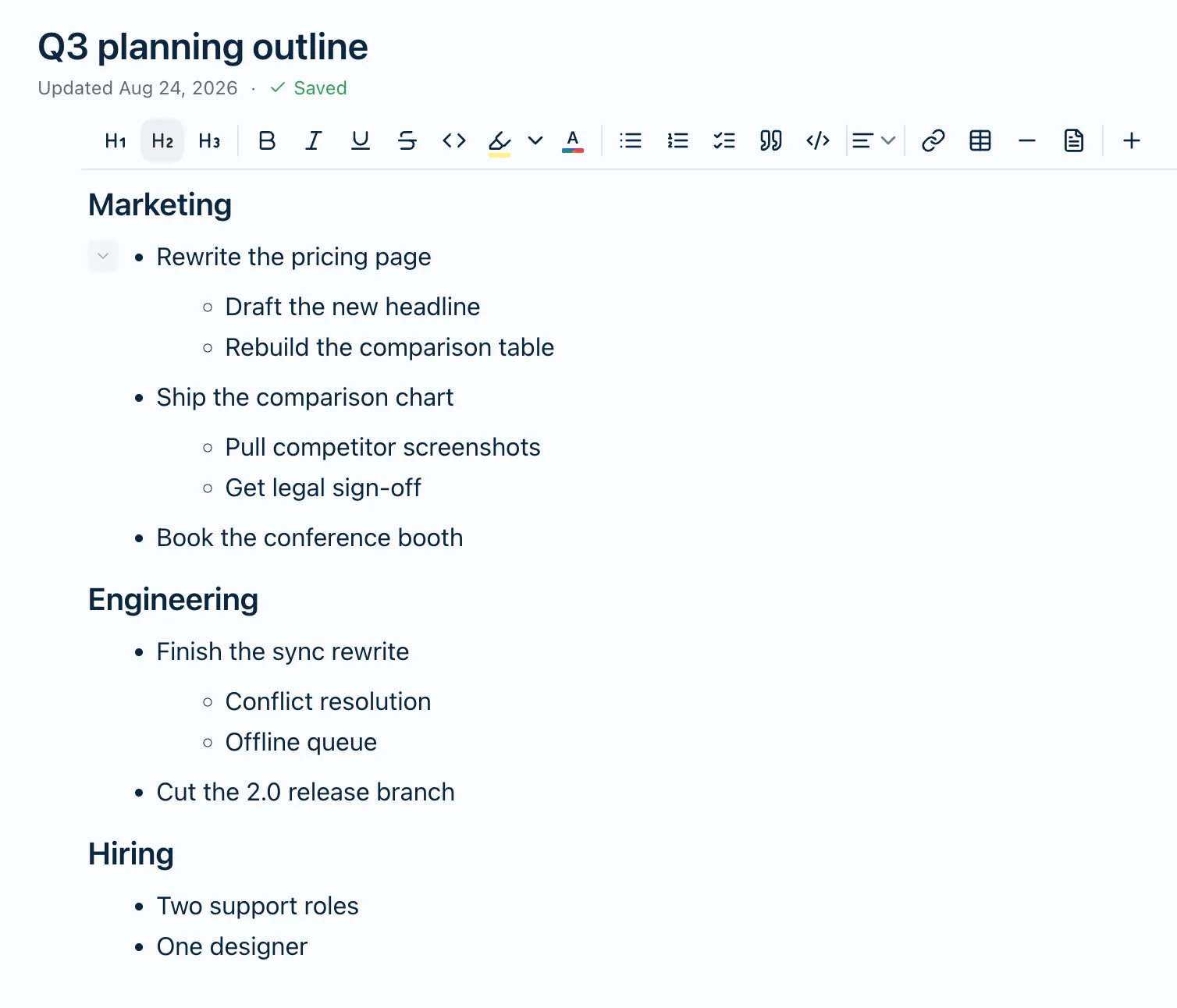
Everything nested under it goes away.
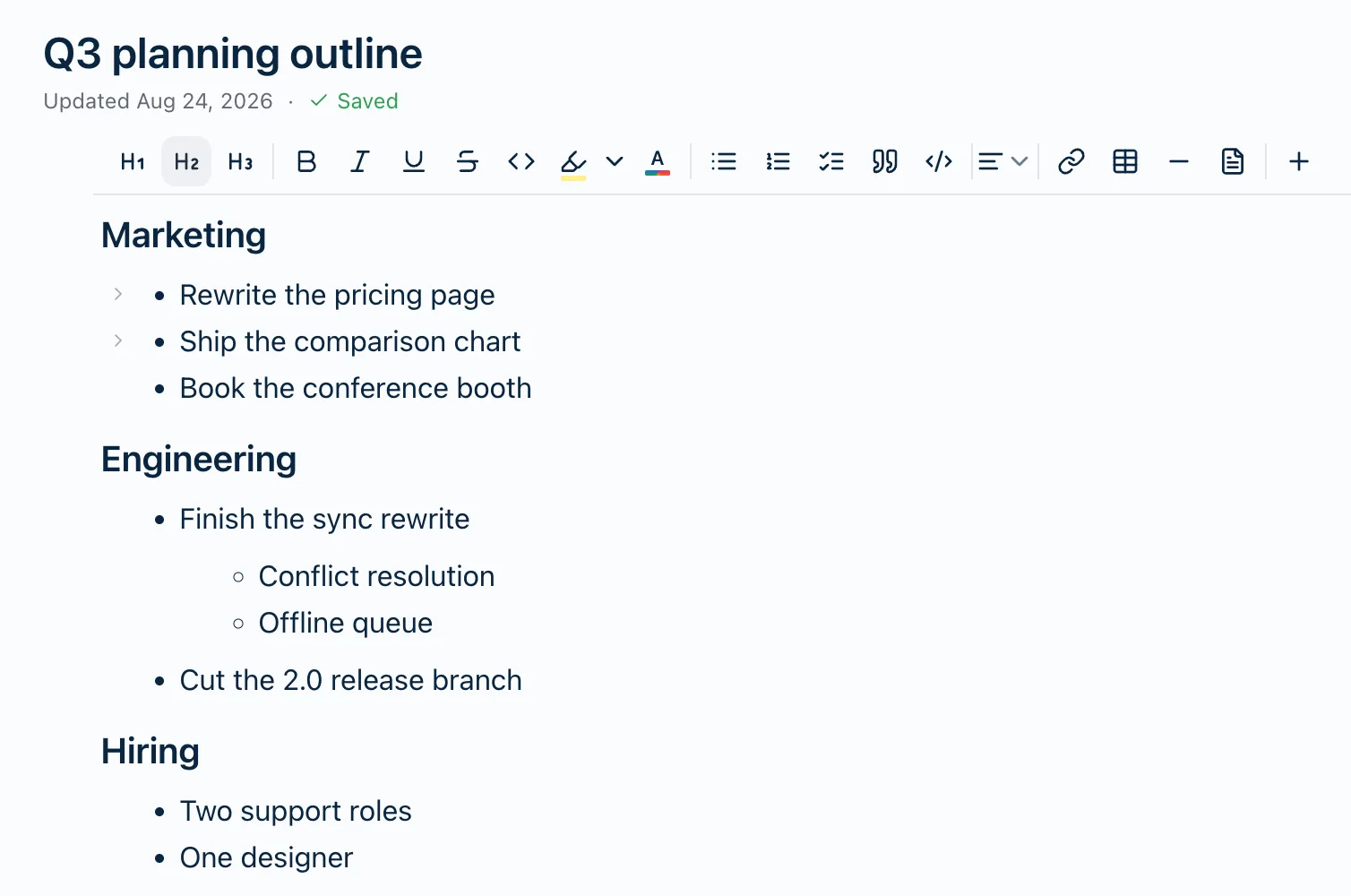
Click it again and it comes back. That’s the whole interaction. There’s nothing to learn.
Headings fold too, and a heading takes its entire section with it — every paragraph, list and table under it, right up to the next heading. Fold every section but the one you’re in and a long note turns into a table of contents you open a piece at a time.
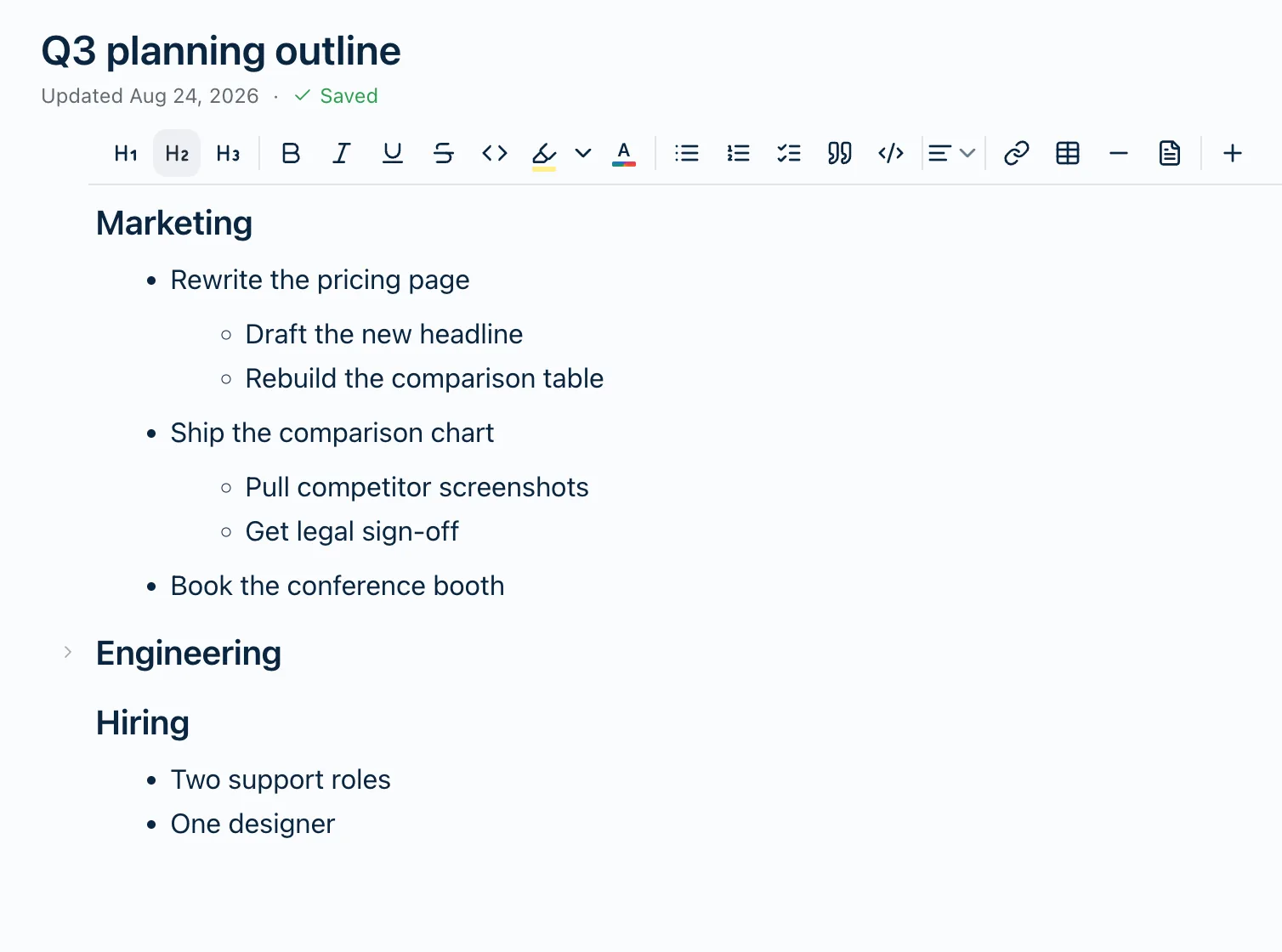
If you’d rather not reach for the mouse: ⌘⇧[ folds the row your cursor is in, ⌘⇧] opens it. Ctrl on Windows.
The part we spent the longest on
The fold lives in the note.
That sounds like a small thing. It isn’t — it’s the one piece of this we went back and forth on, and it’s the piece we’d most like you to notice.
Most apps treat folding as a display preference: a little local setting, kept on that device, thrown away the moment you open the note somewhere else. It’s the easier way to build it, and we think it’s the wrong one. You fold a note to make it readable. If it springs open again the second you pick up your phone, you didn’t make it readable — you made it readable here, once, until you looked away.
So a fold in Harbor is part of the note, the same way your words are. Fold a section on your Mac and it’s folded on your iPhone. It syncs. Undo works on it.
There’s a trade in there and we’d rather name it than have you find it: folding is an edit. It nudges the note’s Updated time and it travels over sync like any other change. We think a fold that actually stays put is worth more than a timestamp that never moves — but if that’s the wrong call for the way you work, we’d genuinely like to hear it.
Folding never hides anything from search
Worth saying plainly, because everybody assumes the opposite.
Text inside a folded section is still indexed. Search your notes and a match buried three folds deep still turns up. Open the note, hit ⌘F, and when Harbor jumps to the match it opens the fold to show you.
Fold as aggressively as you like. You’re hiding things from your eyes, not from your notes.
On a phone it works differently, on purpose
There’s no pointer on a phone, so there’s nothing to hover. An arrow that only appears when you point at something is an arrow that never appears.
So on iPhone, iPad and Android the arrow moves to the right-hand margin and it’s always there, on every row that can fold. It sits where your thumb already is, in a margin the text never reaches. Nothing shifts when it appears.
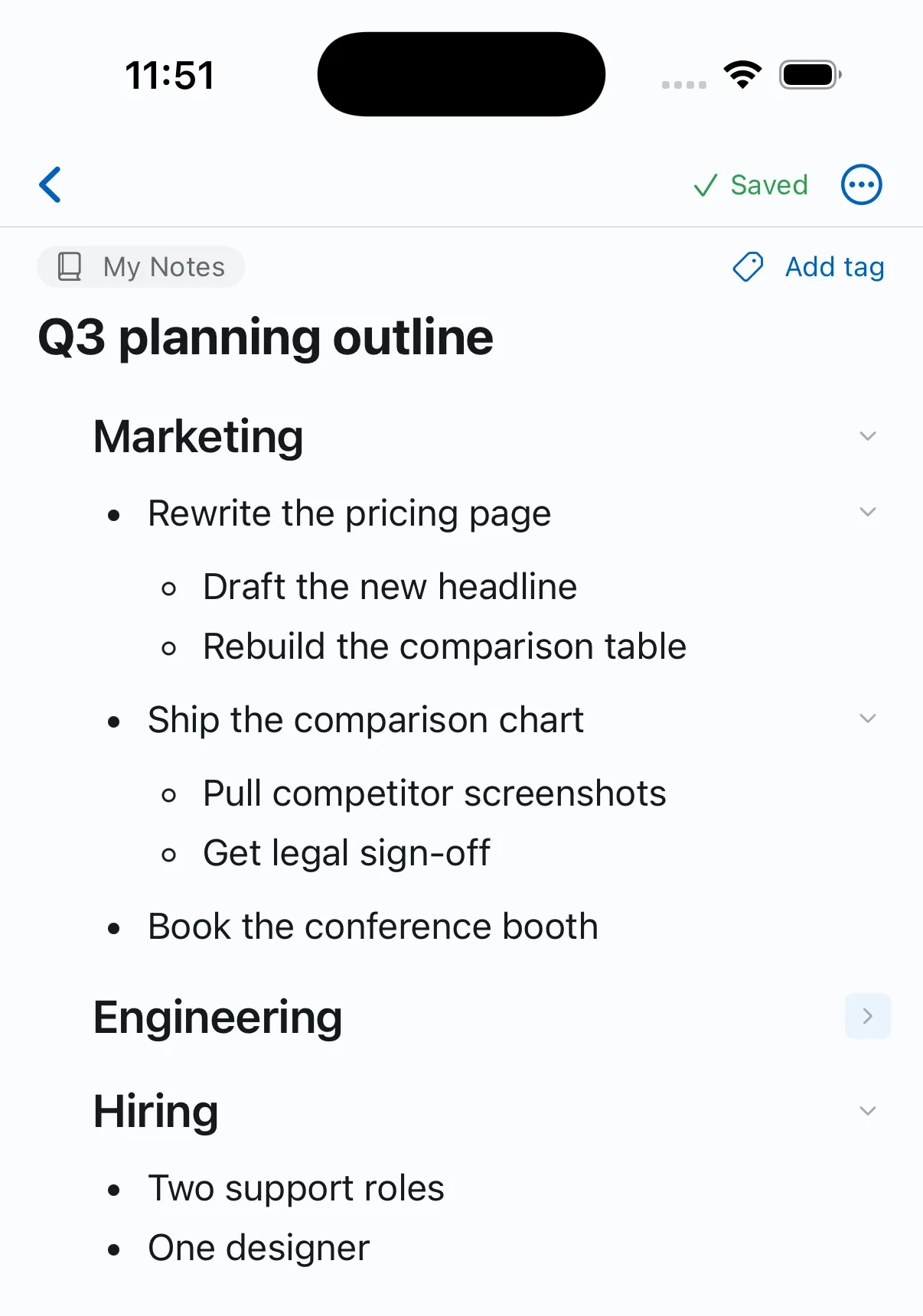
Same feature. Same note. A control that fits the hand it’s in.
What it doesn’t do
There’s no collapse-everything button. One row at a time.
We know that’s the first thing some of you will reach for — it’s the loudest complaint about the way other apps have built this, so we’re not pretending you won’t notice. We did the per-row version first because it’s the part you’d touch every minute, and we’d rather hand you a small finished thing than a big half-built one. We’re not going to promise you a date for the rest. If it turns out to be what everybody wants next, we suspect you’ll tell us.
Thank you for keeping at us
This one had been on the list for a while. What moved it to the top was you — the Reddit threads, the support notes, the “any chance you’ll add…” tacked onto the end of an email about something else entirely.
We want to be honest that we don’t take that lightly, because it’s genuinely how the roadmap works here. There’s no quarterly planning cycle. No prioritization framework. No committee weighing this against fourteen other things and booking a meeting about it. Enough of you said the same thing, we agreed with you, and it got built.
That isn’t a productivity hack, and we’re not claiming it’s clever. It’s just what a small company is for. It’s the one real advantage we have over the people we’re competing with, and the day we stop using it is the day we’ve turned into them.
So please keep going. If Harbor is getting in your way, or there’s something you keep wishing it did, tell us. A real person reads every one of them — and every so often, one of them turns into a weekend.
Collapsible outlines are live on the web now, with the Mac, iPhone, iPad, Windows and Android updates right behind. The full details — what folds, what doesn’t, what a shared link shows — are in Can I collapse bullet points and headings?
Not using Harbor yet? Start free. No credit card, and everything you write is yours to export, always.