Why does Google say it hasn't verified Harbor?
If you connected Google Drive and Google told you Google hasn’t verified this app, nothing is wrong with your account or with Harbor.
It means we haven’t finished Google’s review yet. Apps that read files out of Google Drive have to go through a verification process, and it takes a while. We’ve started it. Until it’s done, Google shows this screen to everyone who connects Drive to Harbor.
It’s a big red triangle for what’s really a paperwork delay. Once Google signs off, the warning goes away on its own and you won’t need to do anything.
How to connect Google Drive
- Pick the Google account you want to connect.
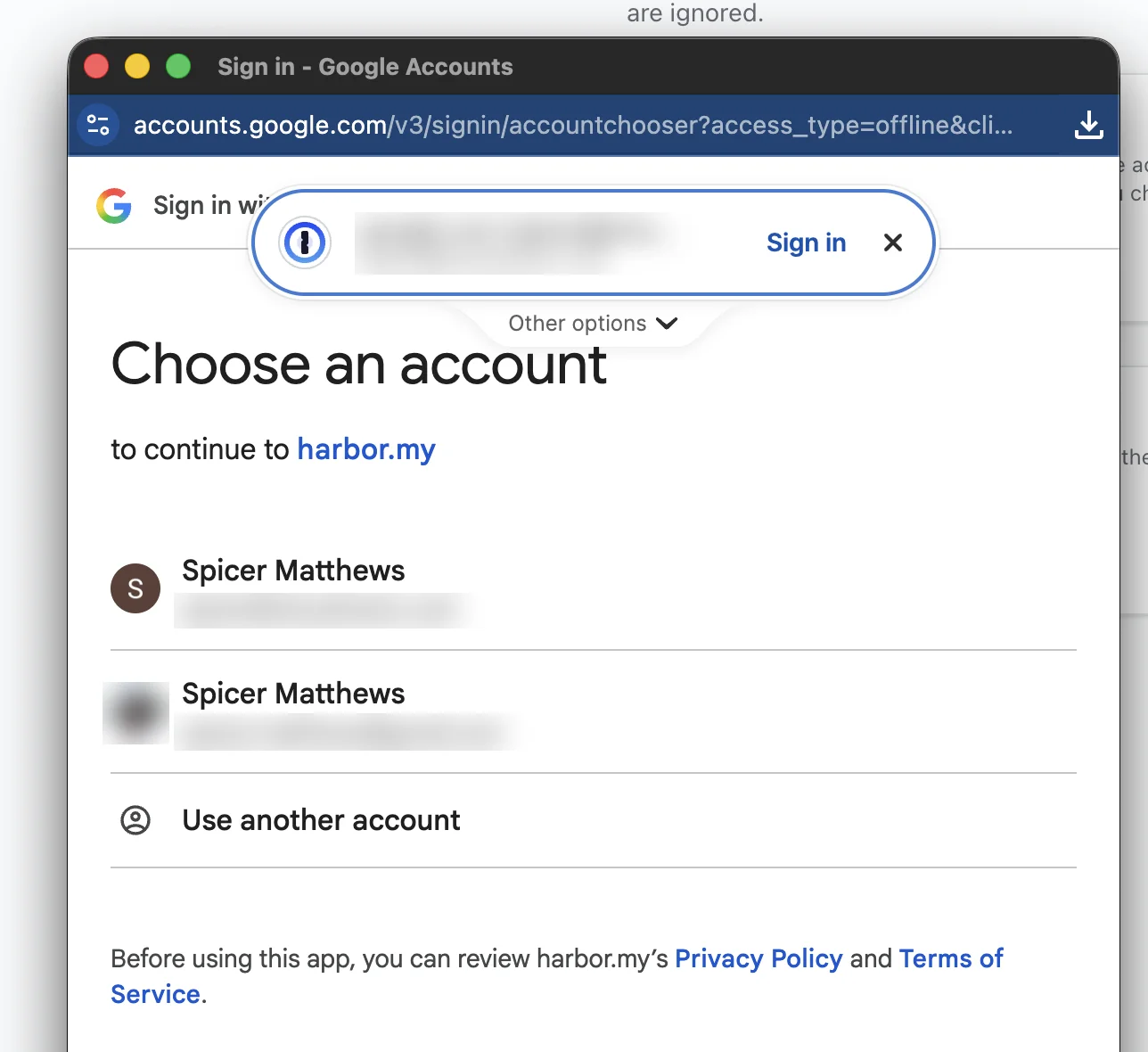
- Google shows the warning. Don’t press Back to safety — that cancels the connection. Click Advanced instead.
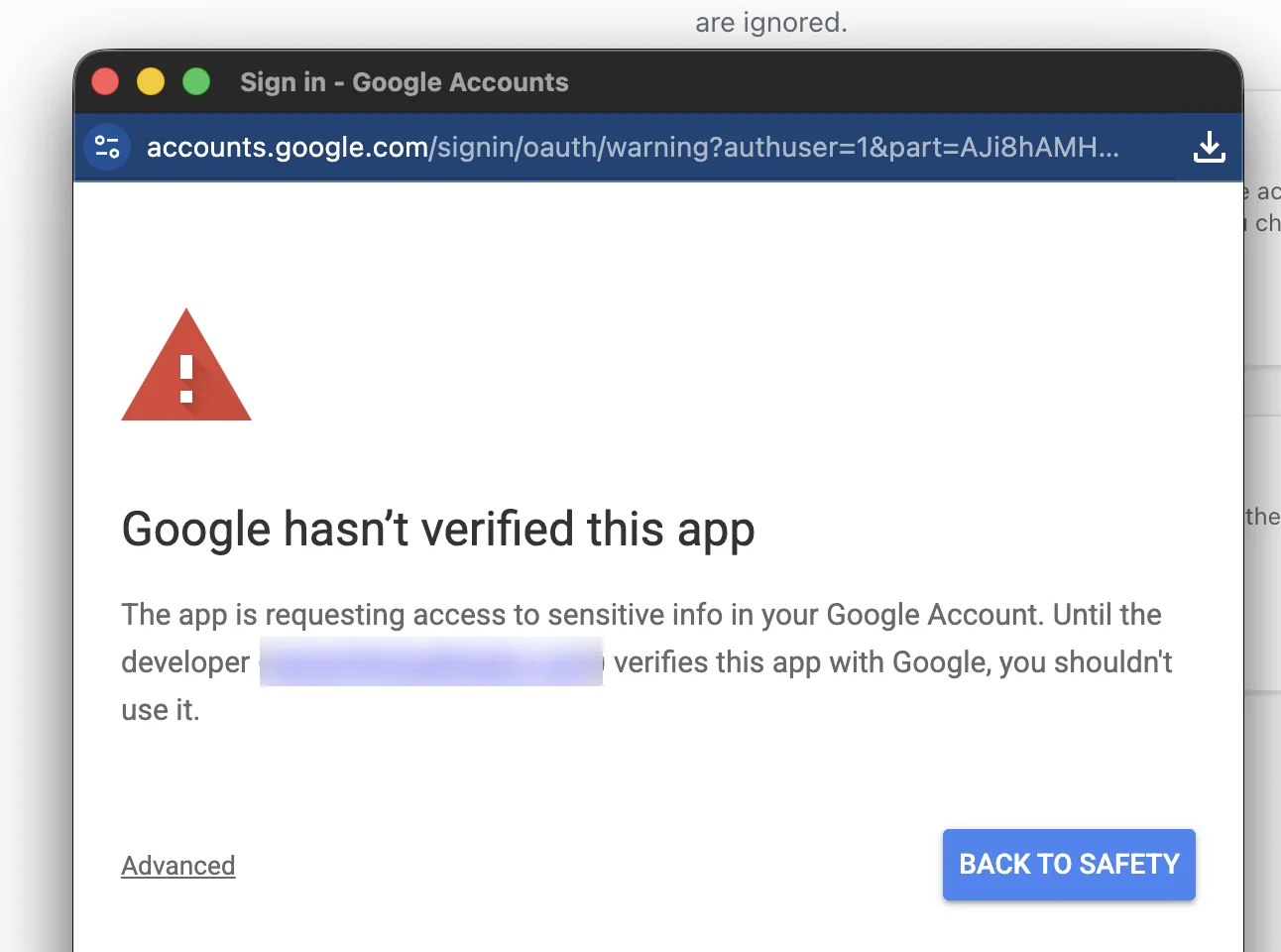
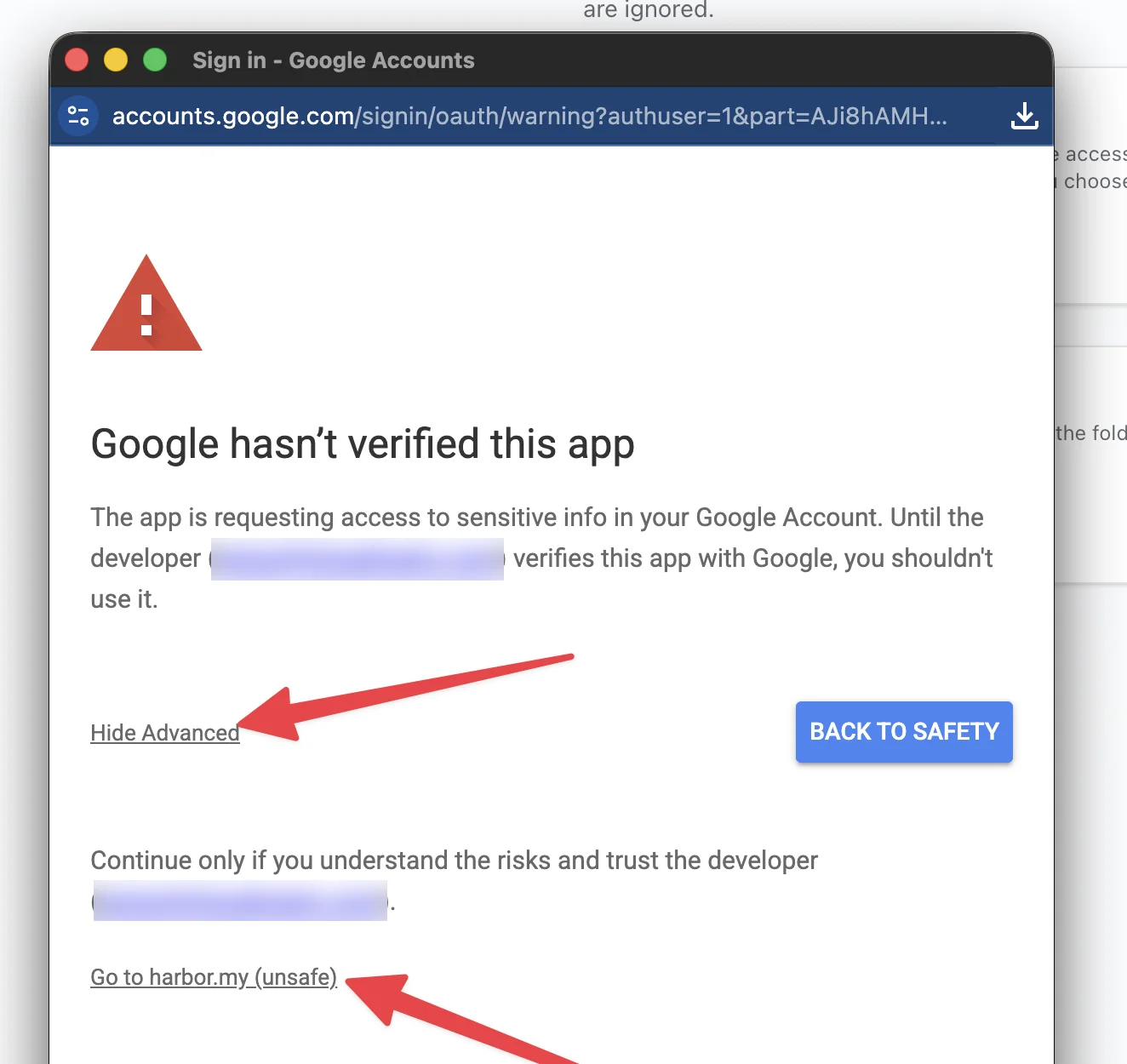
- Click Go to harbor.my (unsafe). The word “unsafe” is Google’s standard label for any app still in review. It isn’t a judgment about Harbor.
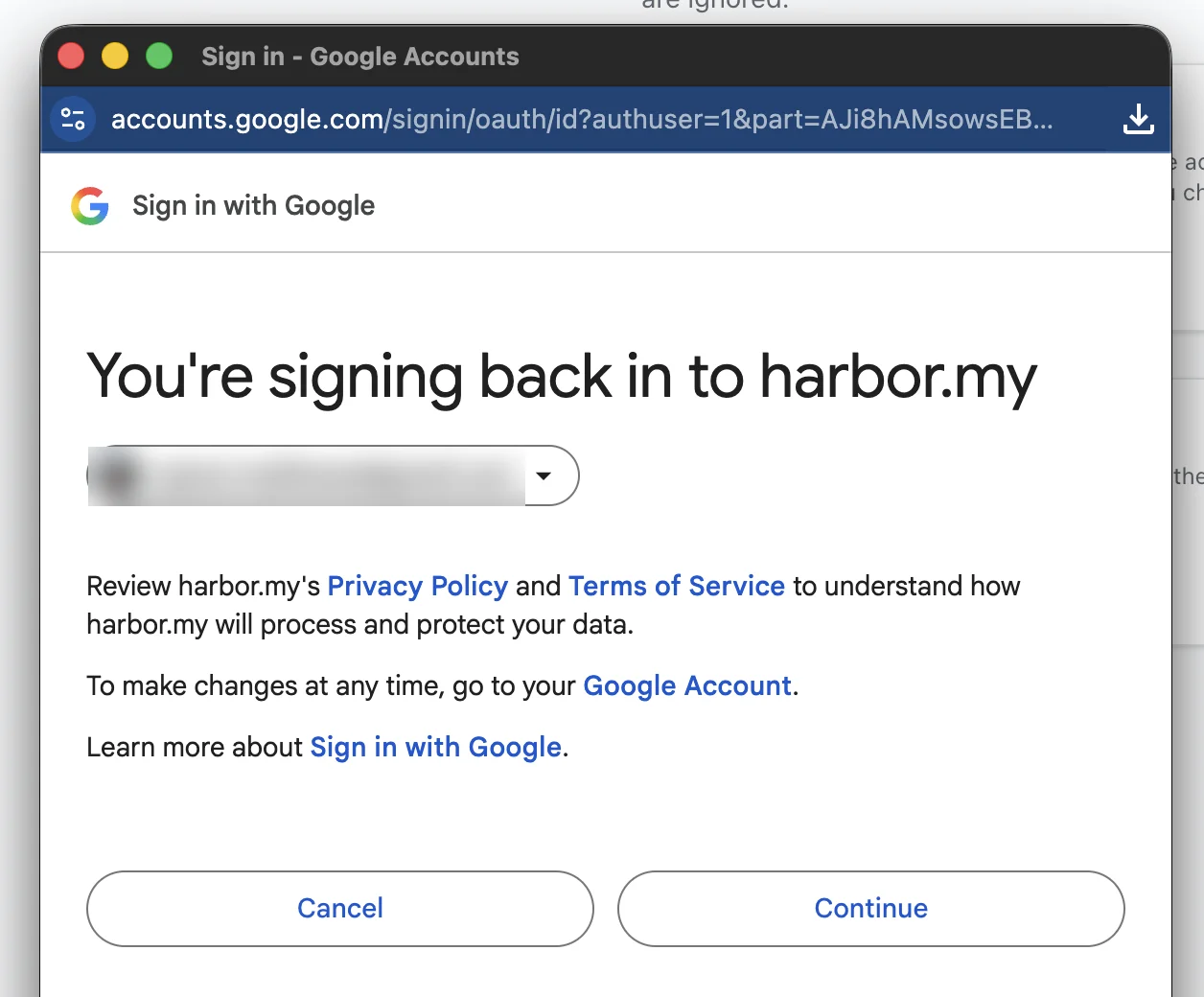
- Google confirms which account you’re signing in with. Click Continue.
- Google lists what Harbor is asking for, with a smaller version of the same warning at the top. Leave all the boxes ticked.
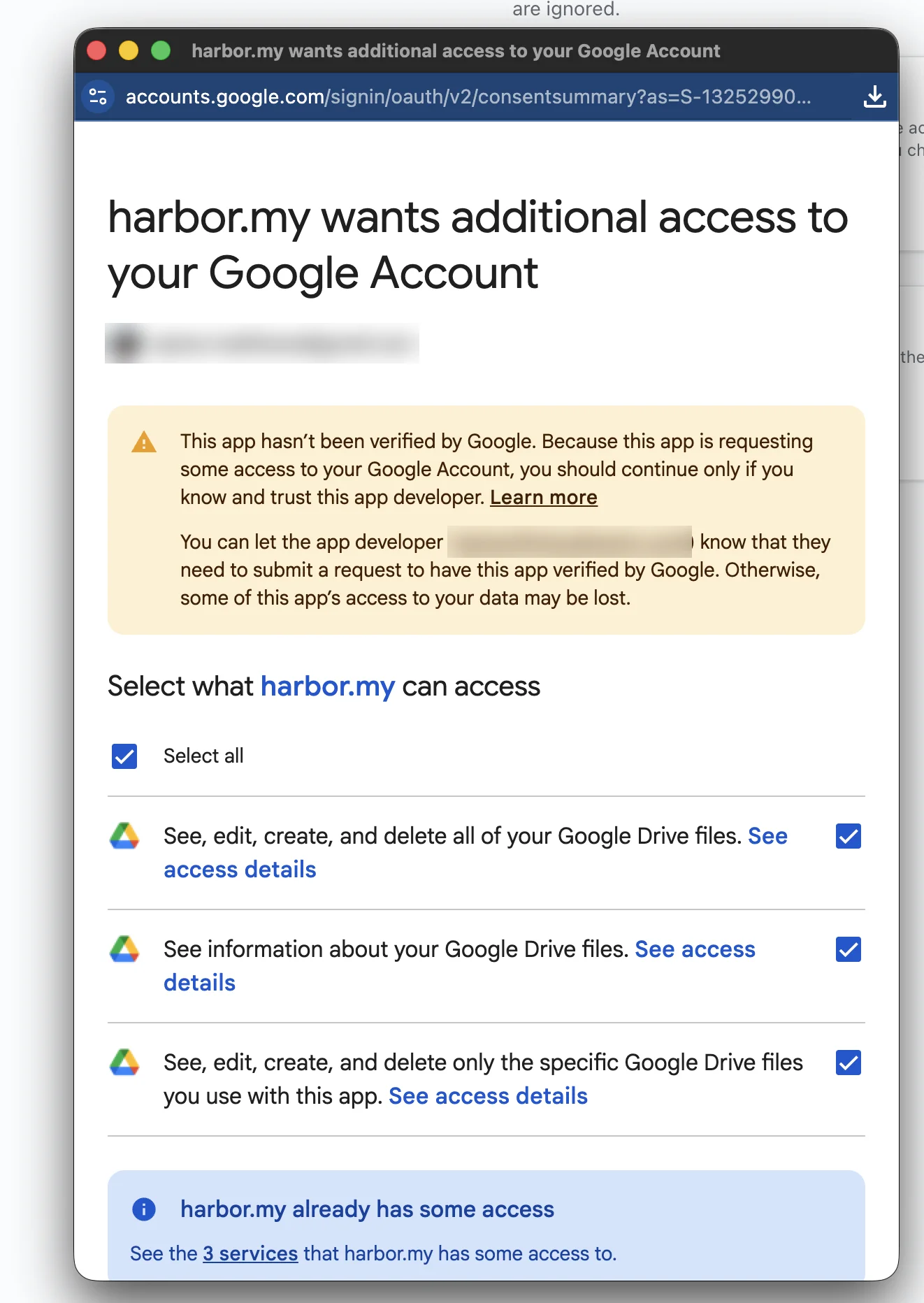
- Scroll down and click Continue.
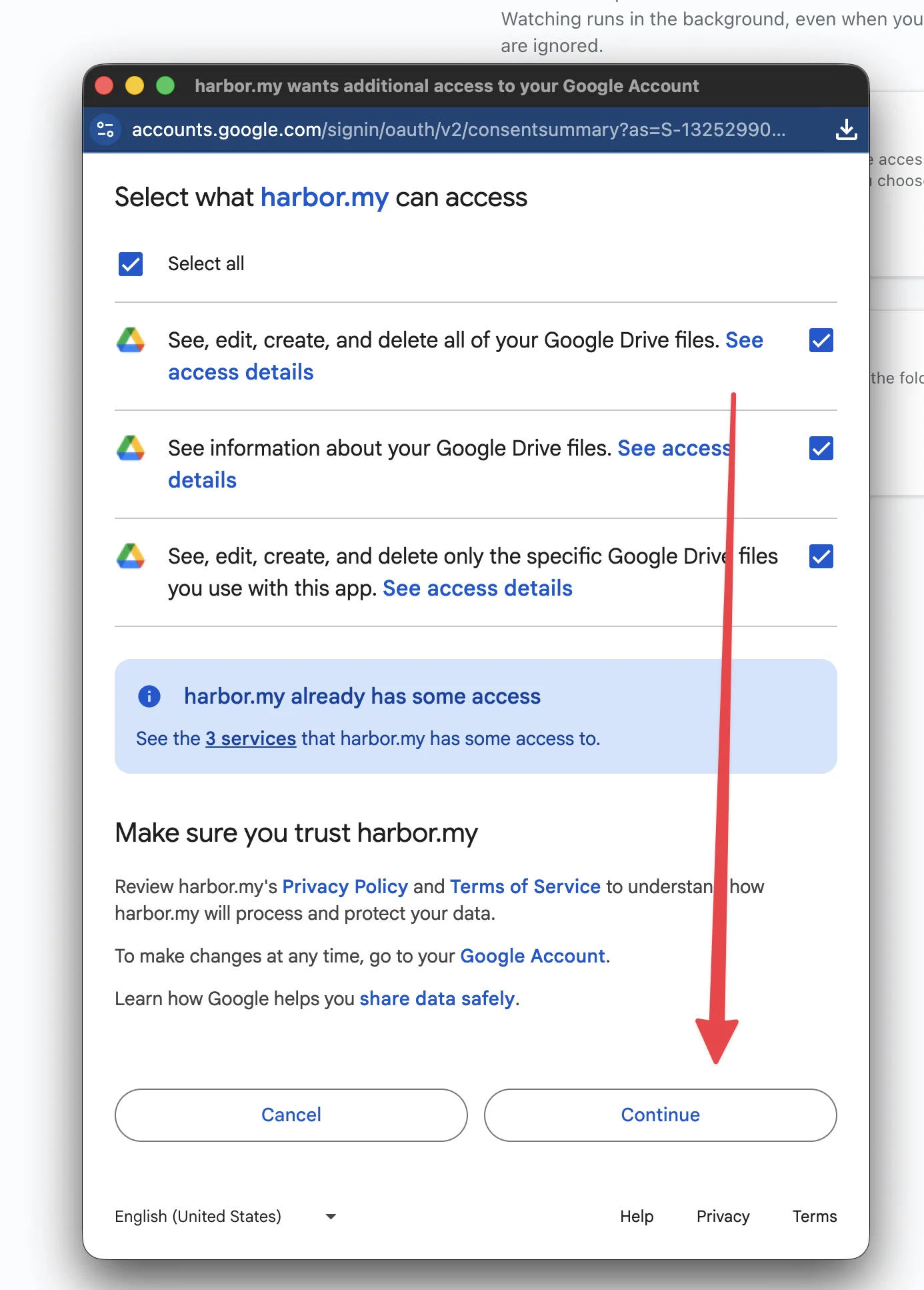
That’s it. You’re back in Harbor with Drive connected, and you can set up a watched folder.
Why Harbor asks for all of your Drive
The permission list reads broader than what Harbor does, and it’s fair to wonder about it.
Harbor only opens files in the folders you tell it to watch. It reads the images and PDFs there and turns each one into a note. If you switch on delete the file after it’s uploaded, it moves the original to Drive’s trash once it’s safely in Harbor. That’s all.
Google doesn’t offer a permission that means “just this one folder” for that job. The closest one only lets an app see files the app itself created, which is no use for a folder your scanner fills. So we have to ask for Drive as a whole, and that’s exactly the kind of permission Google reviews most carefully.
You can see what Harbor has access to, and take it back, at any time from your Google Account.
If you’d rather wait
That’s a perfectly reasonable call. Press Back to safety and nothing is connected.
Watched folders work the same way with a Dropbox folder, or a folder on your Mac or PC, and neither of those shows this warning. You can switch to Google Drive once Google has finished with us.
Questions? Get in touch. We’d rather hear from you than have you guess.
Related questions
Need more help?
Still stuck? Send us a message and a real person will get back to you.