Why does Windows say it protected my PC?
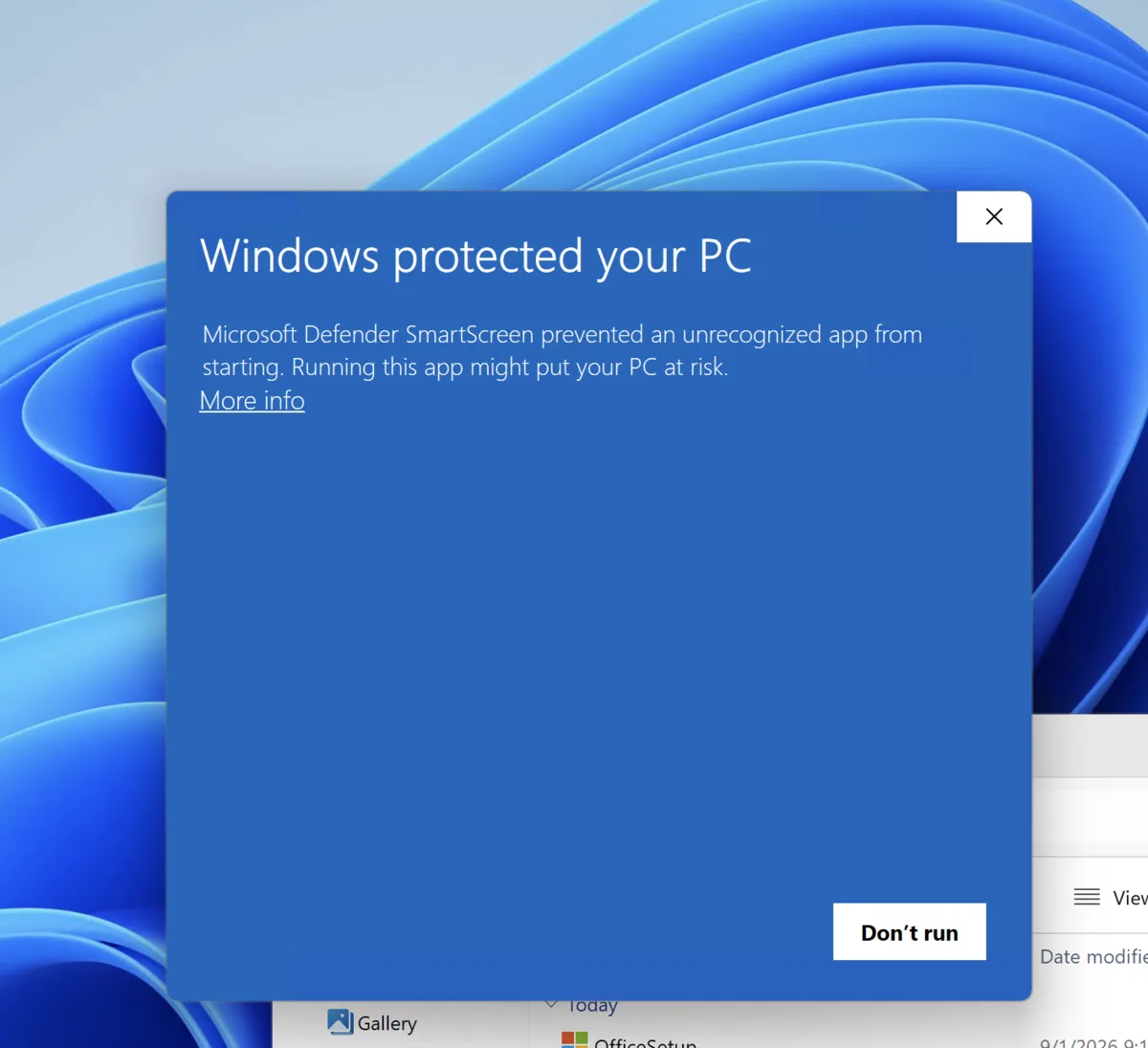
If you downloaded Harbor for Windows and saw Windows protected your PC, nothing has gone wrong.
Harbor is new. Microsoft Defender SmartScreen warns about apps that haven’t built up enough download history yet. It doesn’t mean SmartScreen found a virus. It means Microsoft doesn’t know us well enough yet.
Harbor is code-signed by Cloudmanic Labs, LLC. As more people install it, this warning should go away.
How to install Harbor
- Click More info.
- Check that the app is named
Harbor-[version].exeand the publisher includes Cloudmanic Labs, LLC. - Click Run anyway.
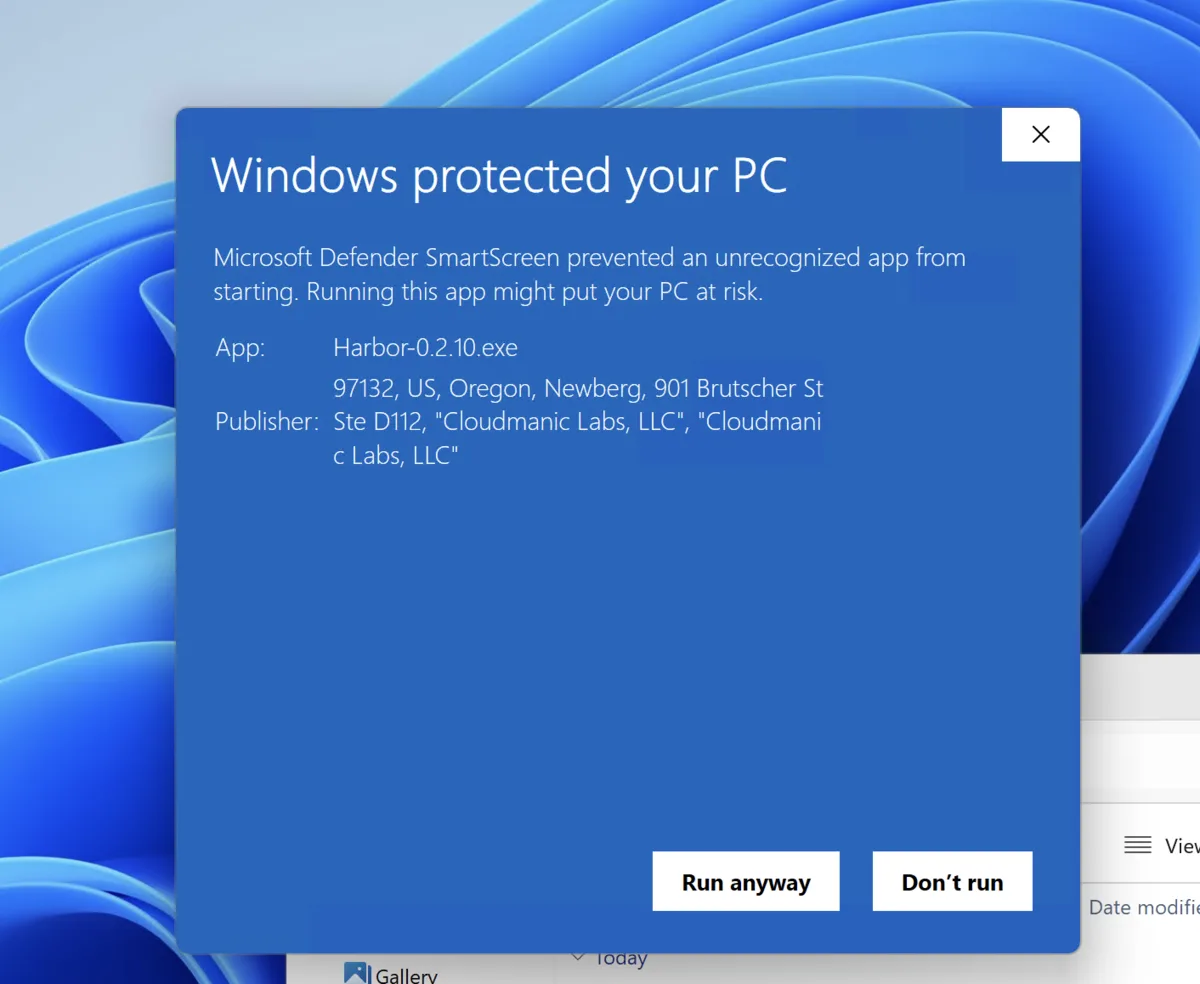
Harbor will open and install normally.
Only do this with a copy of Harbor downloaded from our official download page. If the app name or publisher looks different, choose Don’t run and contact us.
It’s an awkward first hello. We know. It’s also temporary: we’re a new app, and Microsoft needs time and real-world downloads before it recognizes us.
Ready to try it? Start free — no credit card.
Need more help?
Still stuck? Send us a message and a real person will get back to you.