How do I update Harbor for Windows?
Harbor checks for Windows updates when it opens and downloads them in the background. The new version takes over the next time you restart the app.
You can also check whenever you like:
- Click your name in the bottom-left corner, then choose Settings.
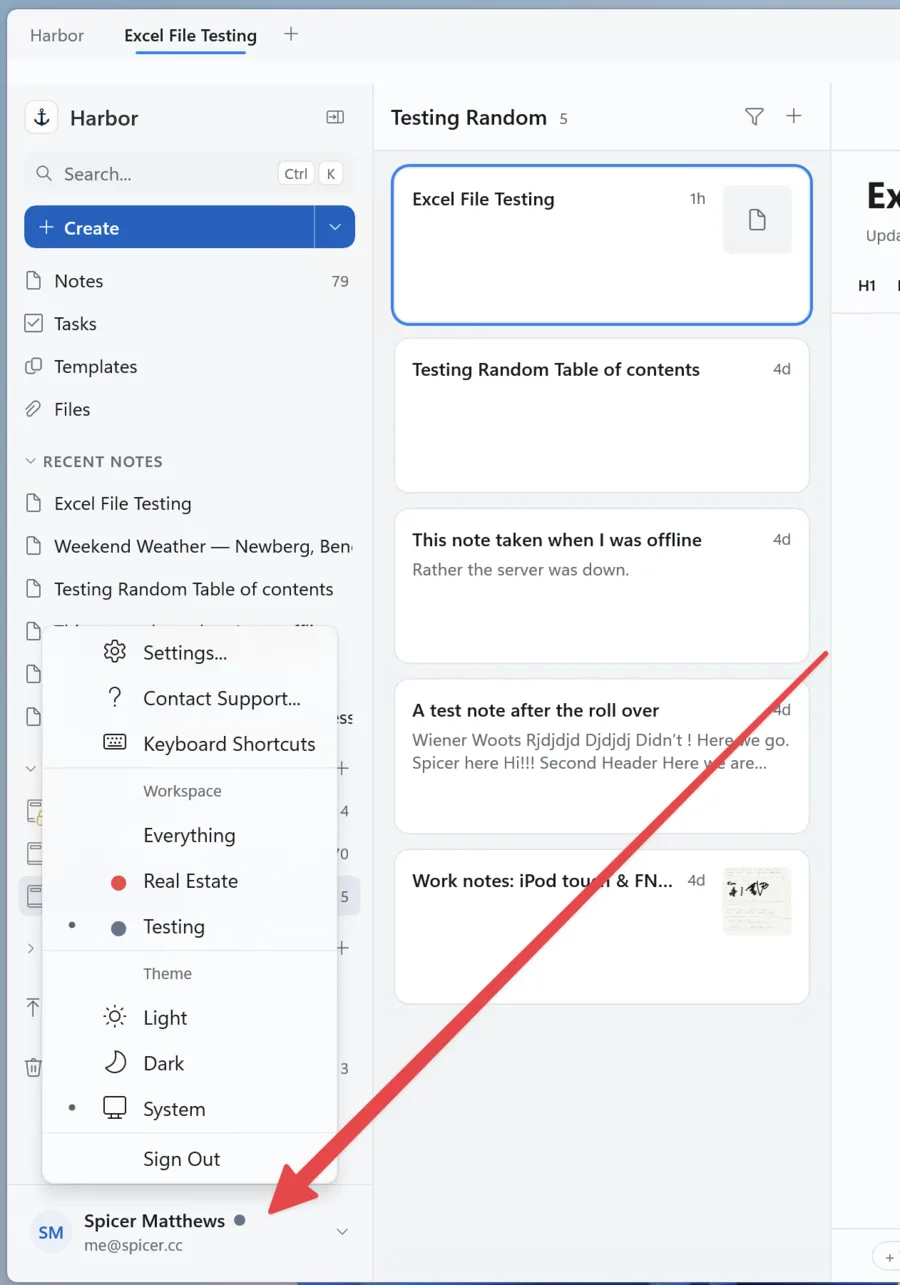
- Select About at the bottom of the Settings menu.
- Click Check now.
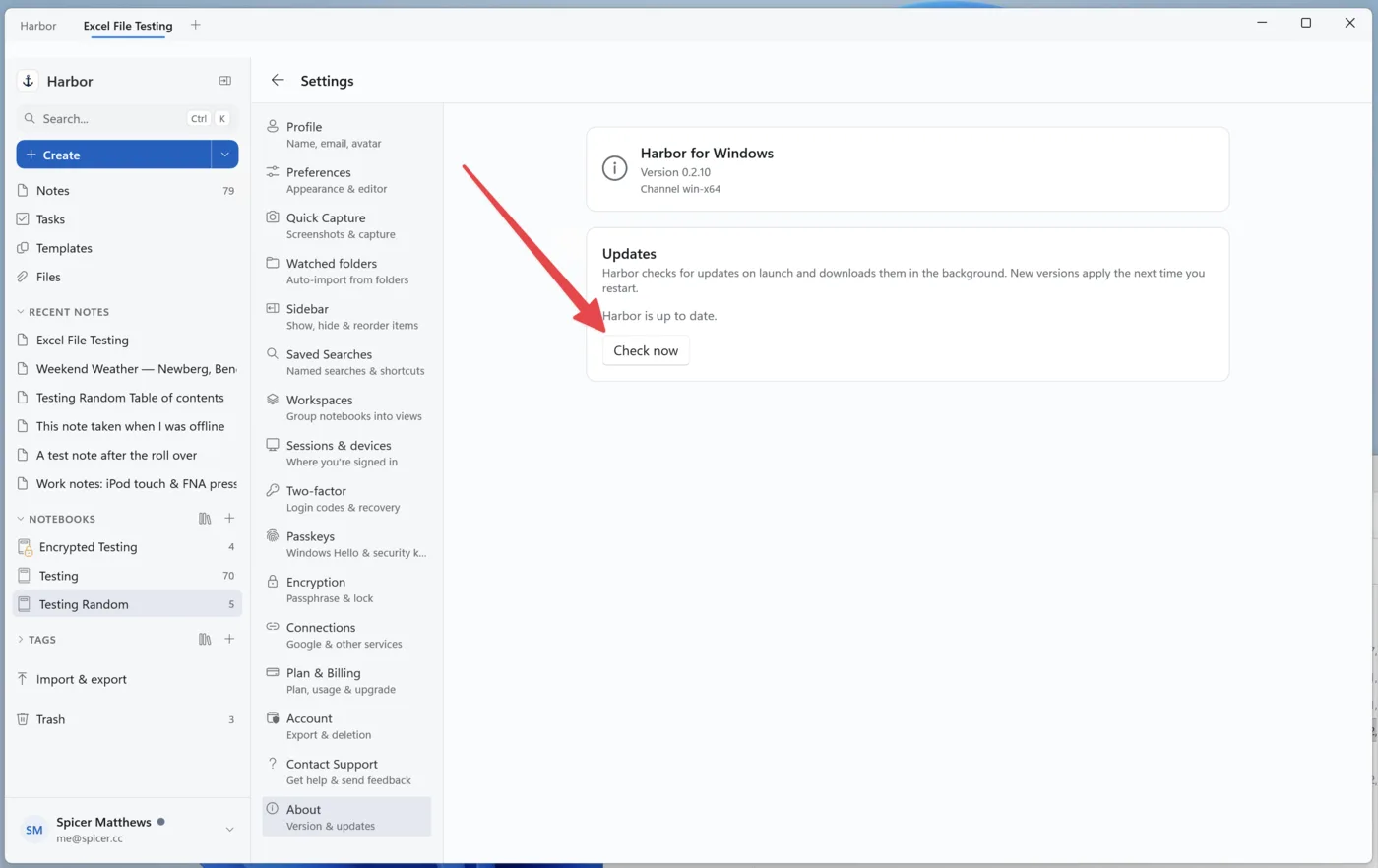
If an update is available, Harbor will download it. Restart the app when it’s ready, and you’re done.
If Harbor says Harbor is up to date, you already have the newest version. Nothing else to do.
Ready to try it? Start free — no credit card.
Need more help?
Still stuck? Send us a message and a real person will get back to you.